Holiday and weekend pricing, added automatically
Set a surcharge once, as a fixed amount or a percentage, for the days, dates and times you want to charge more. Walkies adds it to every matching booking and invoice, and clients see it before they book.

Weekends, holidays and busy times
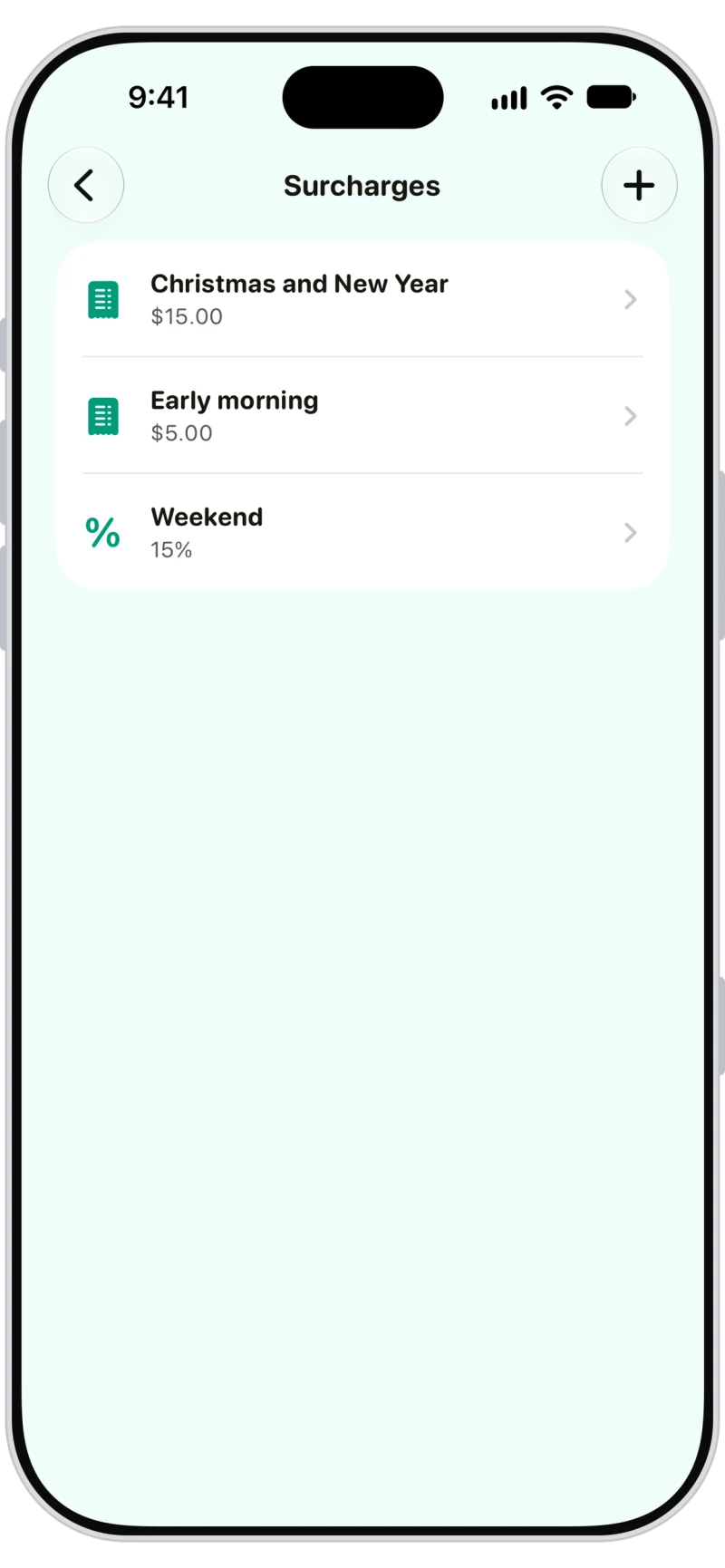
Keep a surcharge for every busy time: weekends, Christmas and New Year, early mornings. Pause one to stop it applying to new bookings without deleting it.

A percentage or a fixed amount
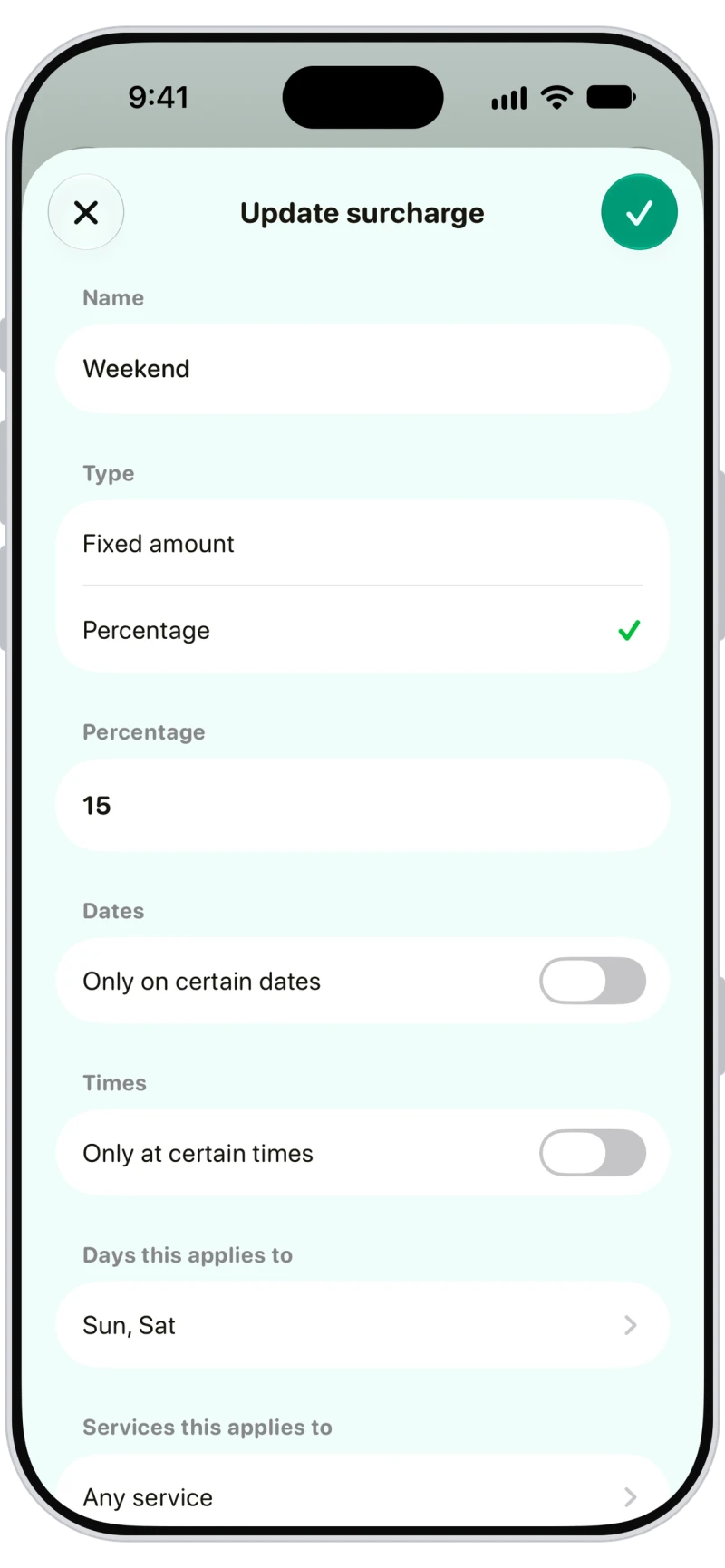
Charge a percentage of the services booked, or a fixed amount. Narrow it to certain days, times, services, pet types, clients or pets, or leave it to apply to everything.
Holidays that come back every year
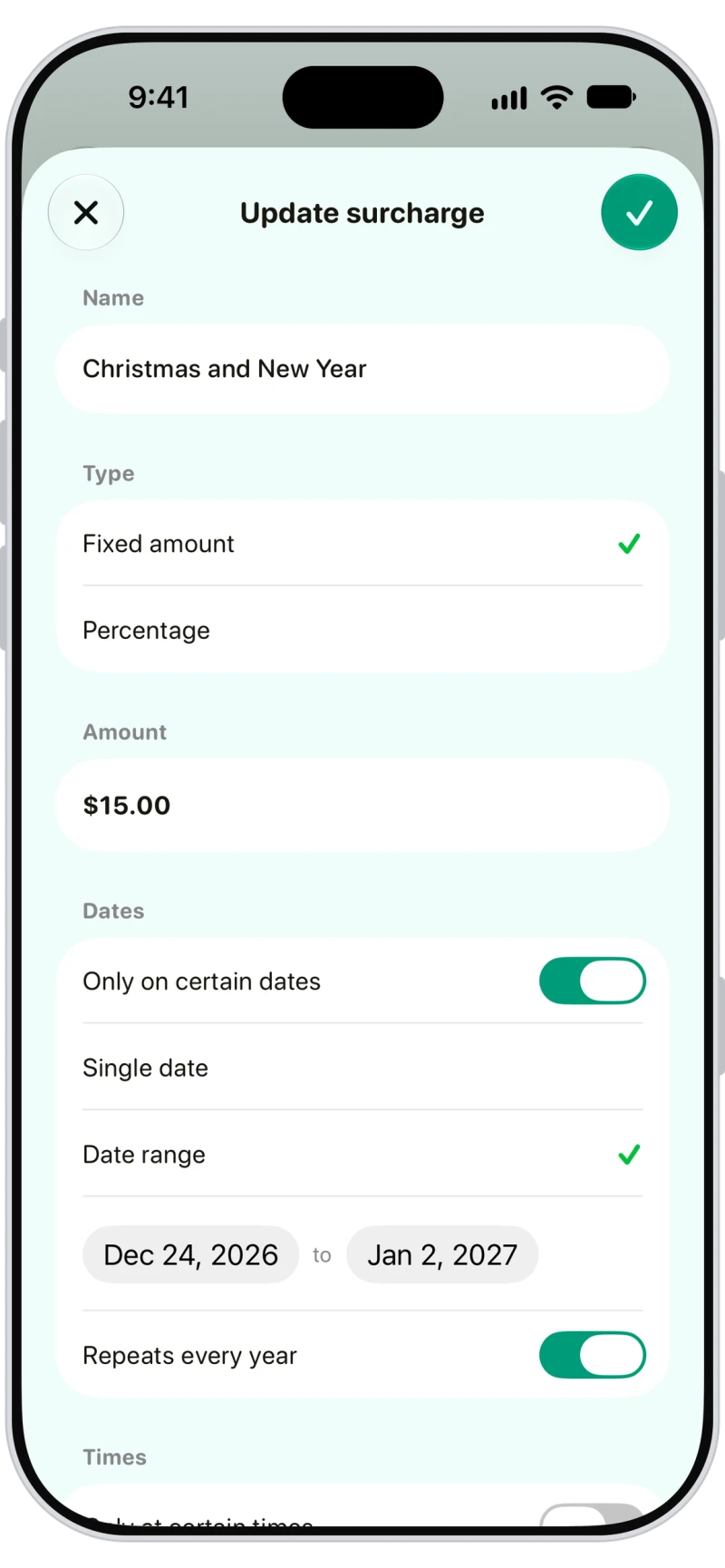
Set a date or a date range, like 24 December to 2 January, and turn on Repeats every year. For stays charged by the night, a fixed amount is added for every night inside the dates.
Frequently asked questions
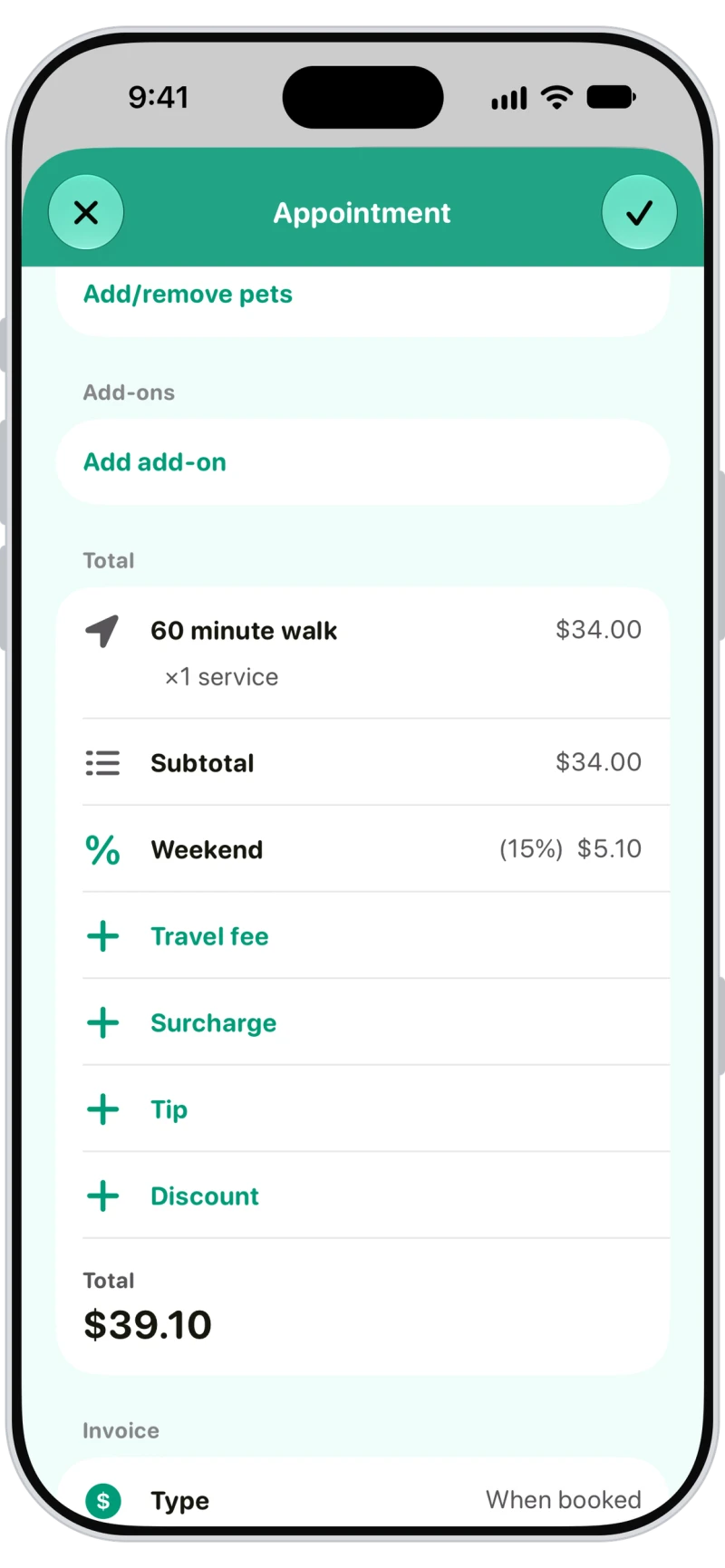
Yes. A surcharge shows as its own line on the appointment and the invoice, and you can add or remove one there.
It's a percentage of the matching services, including extra-pet prices and add-ons, but not travel, tips or discounts.
Yes. When clients book in the Walkies Journal app, the summary shows each surcharge and its amount under the subtotal.
No. Editing or deleting a surcharge only affects new bookings. Amounts already on a booking or invoice stay as they are.
Yes. If you charge tax on services, it applies to surcharges too.