
Pet sitting scheduling and online booking
One calendar for one-off and repeating walks, visits, stays and group walks. Clients request bookings from the Walkies Journal app within your working hours, and you accept or decline in a tap.

Run your day from the appointments list
Every appointment in the list has its own quick actions. Open the client's details and door notes, get directions in your maps app, tell the client you're on your way with an ETA, log the drive for mileage, and mark pets picked up or dropped off.
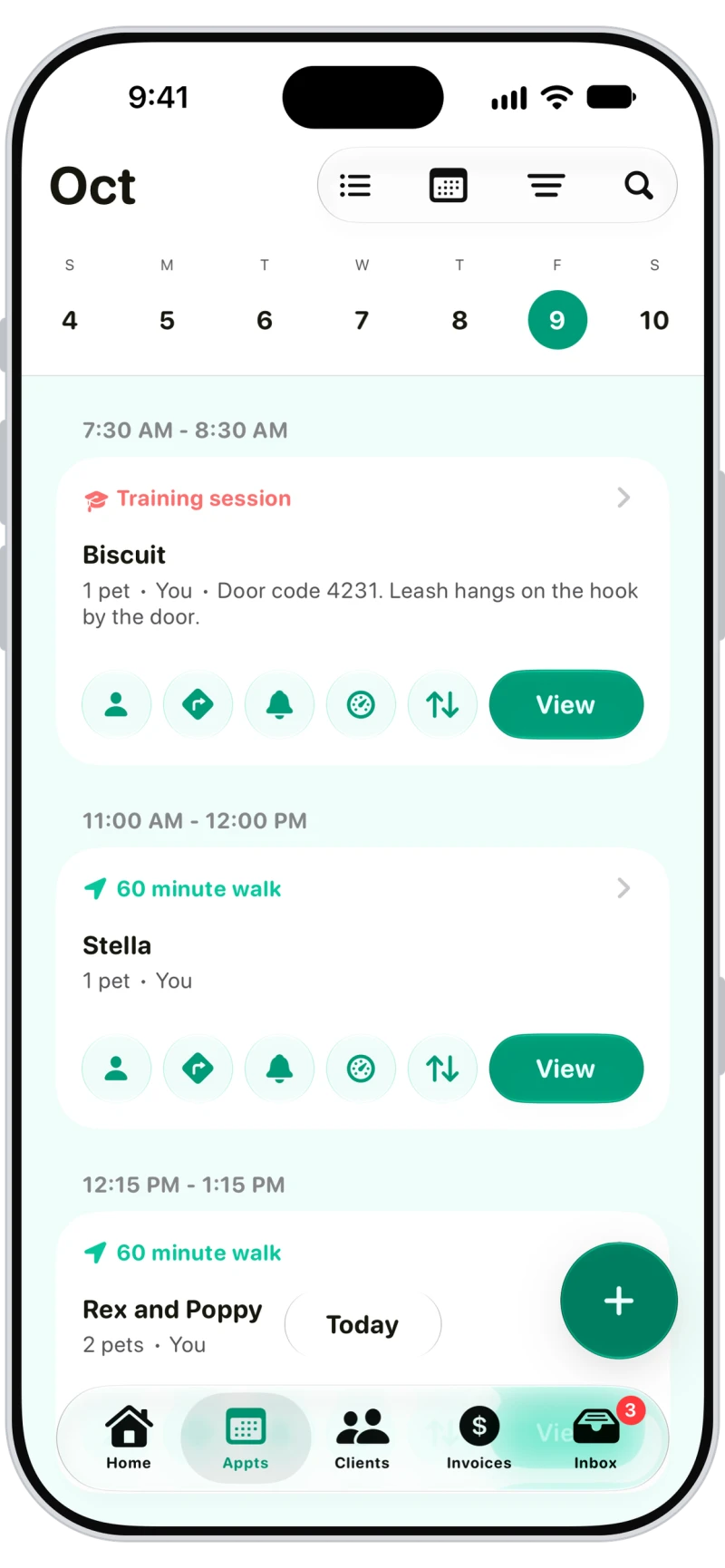

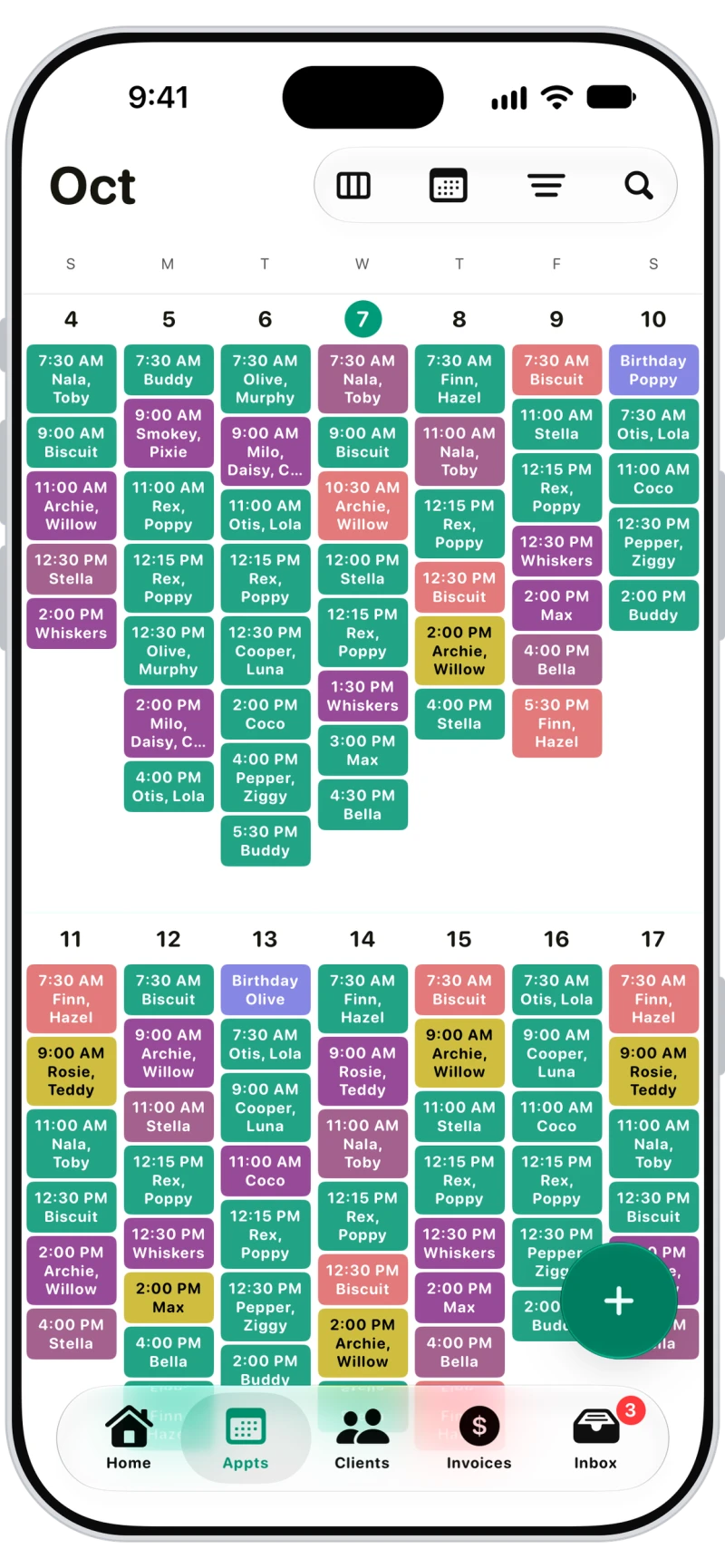
Day, week and month calendar views
Switch between list, day, week, month and all appointments. Colour them by service, team member or status, and drag to reschedule in day view.

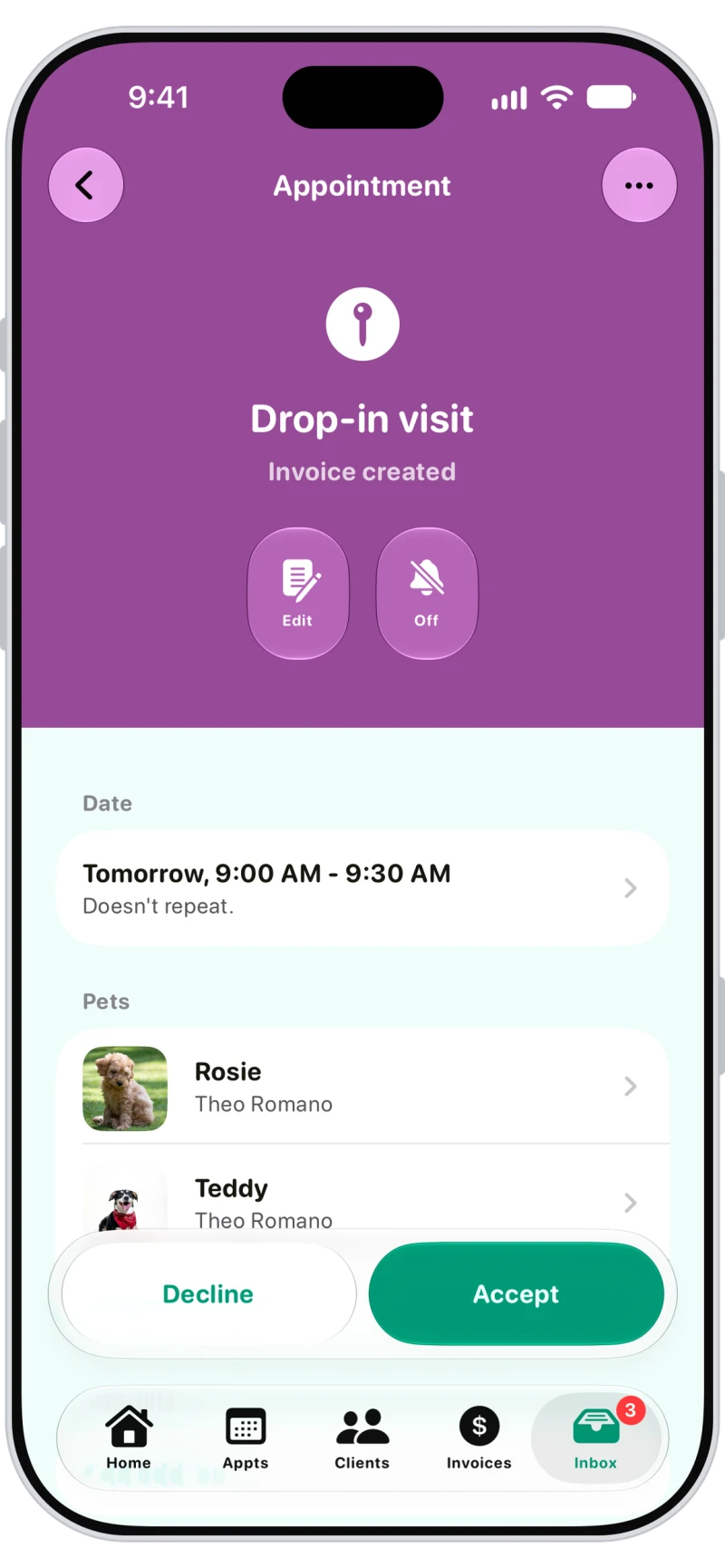
Booking requests you accept in a tap
Client requests land in Inbox, then Requests. Change anything you need, then Accept or Decline, one at a time or in bulk. With invoicing set to When booked, the invoice is created when you accept.

Clients book from their phone
Connected clients book in the Journal app or a web browser: pick a service, the dates and a time or arrival window, add notes and send the request. You can let them choose a team member, and require payment when they book.
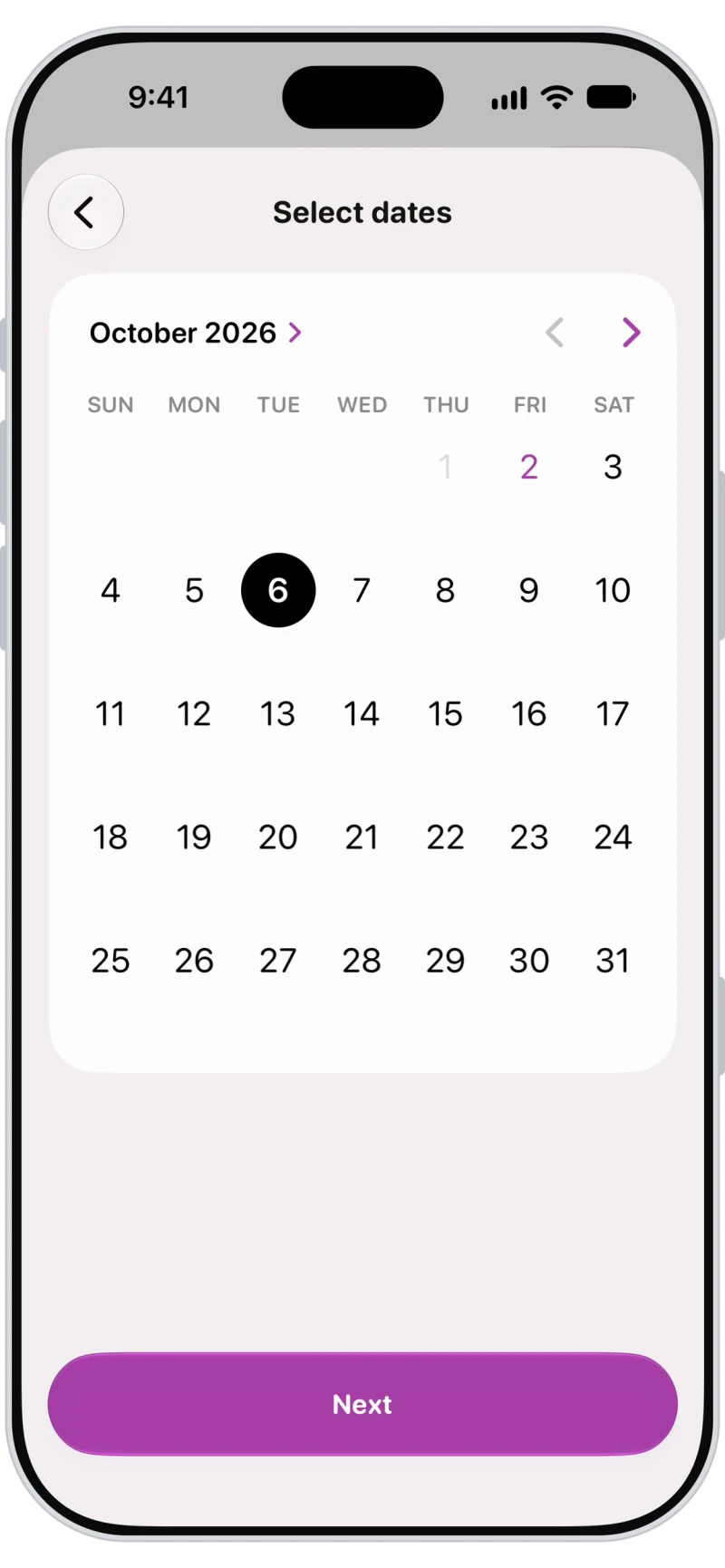
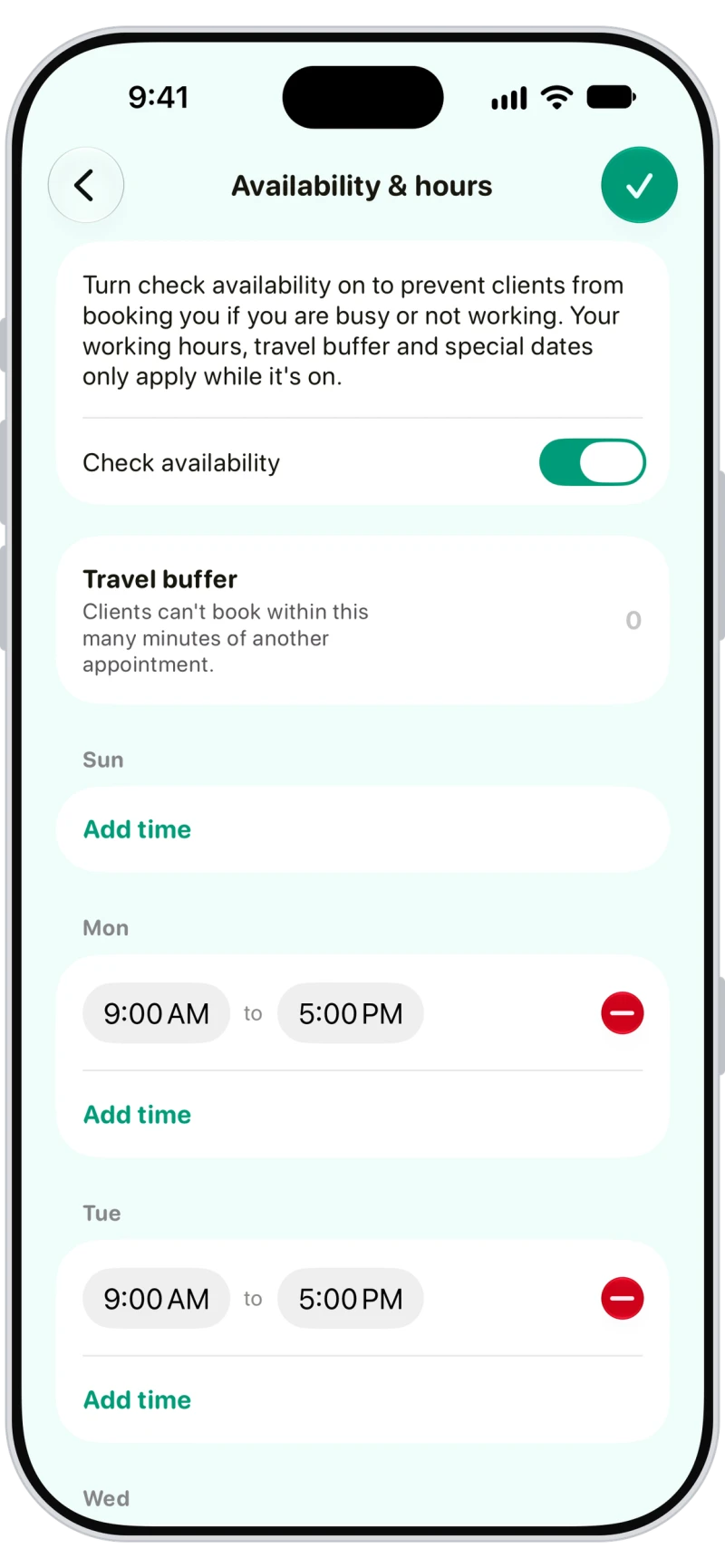
Availability and working hours for online booking
Turn on Check availability and clients only see free times inside your working hours, with a travel buffer between appointments, special hours, busy time and holidays respected.

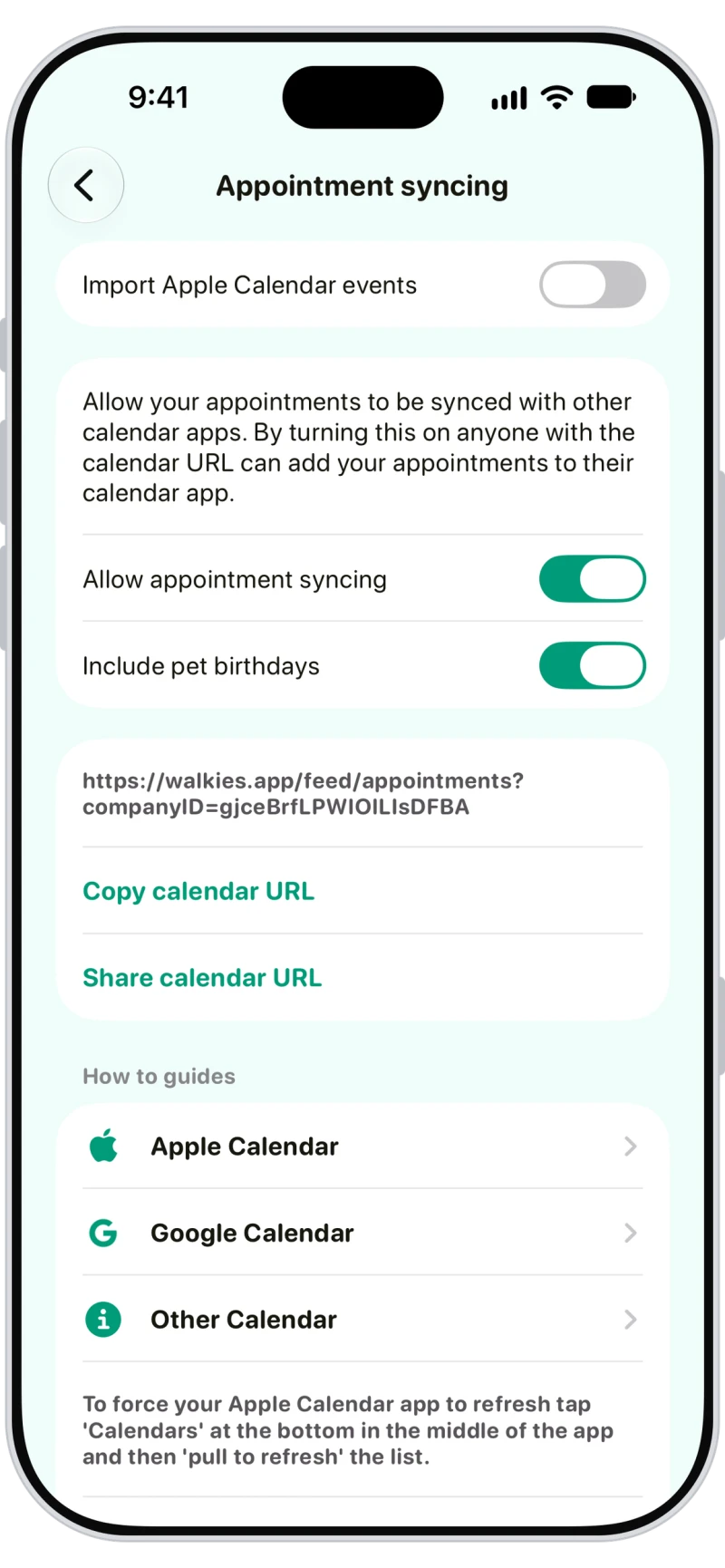
Sync to Apple and Google Calendar
Copy your calendar URL into Apple Calendar or Google Calendar to see every appointment there, pet birthdays included. Team members' links only show their own appointments.

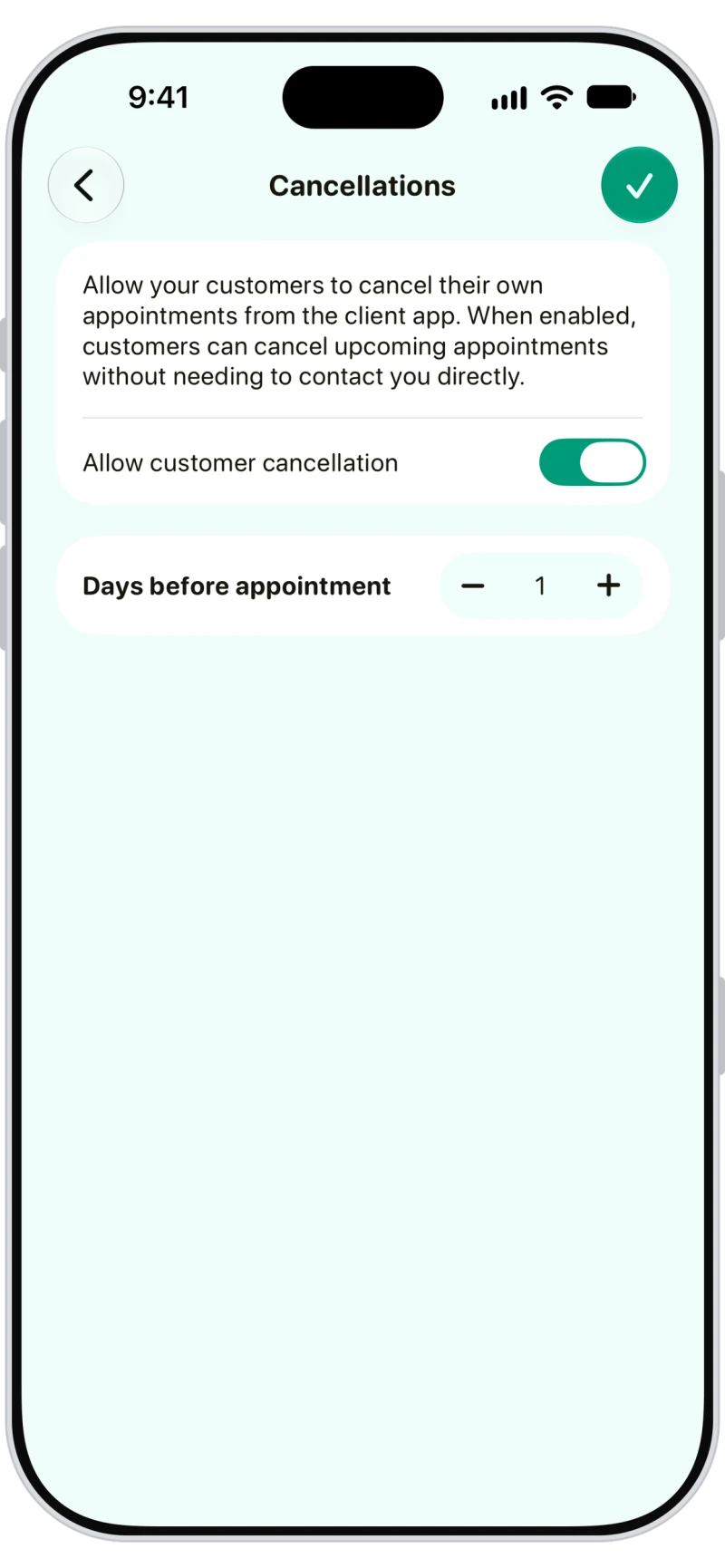
Set your own cancellation policy
Let clients cancel their own appointments up to a set number of days before, and you're notified when they do. Inside that window, they're offered a message to you instead.
Frequently asked questions
Yes. Clients connected to the Walkies Journal app can request bookings in the app or a web browser, and you accept or decline each request.
Yes. Turn on Check availability and set your working hours. Clients then only see free times, and busy time, holidays, special hours and your travel buffer are respected.
Yes. Turn on Repeat, choose the days and an end date up to a year ahead. Each visit is its own appointment, and you can change one or all future ones.
Yes. Walkies gives you a calendar URL that Google Calendar and Apple Calendar subscribe to. It's one-way: appointments appear in your calendar app. Apple Calendar events can also be imported into Walkies.
Yes, with Walkies Pay. Turn on Require pay at booking and the client's card is held when they request, charged when you accept, and released if you decline.
Yes. Clients can get a reminder the day before their appointments, and you can get a reminder before each appointment yourself.
Learn more in the help centre
- How do I book an appointment?
- How do I book a repeating appointment?
- How do I let clients book with me?
- How do I accept or decline a booking request?
- How do I set my availability and working hours?
- How do I sync Walkies with my calendar?
- How do I set my cancellation policy?
- How do I take payment when clients book?
- How do I set up appointment windows?
- What can I do with bookings and scheduling in Walkies?