Invoicing and payments for pet sitters
Invoice when a client books, when each visit starts, or on a weekly or monthly schedule. Clients pay by card, Apple Pay or Google Pay with Walkies Pay, with no Walkies fee on top of Stripe's, or by Venmo, PayPal, Cash App, Zelle, check, bank transfer or cash.

Invoices filled in from your calendar
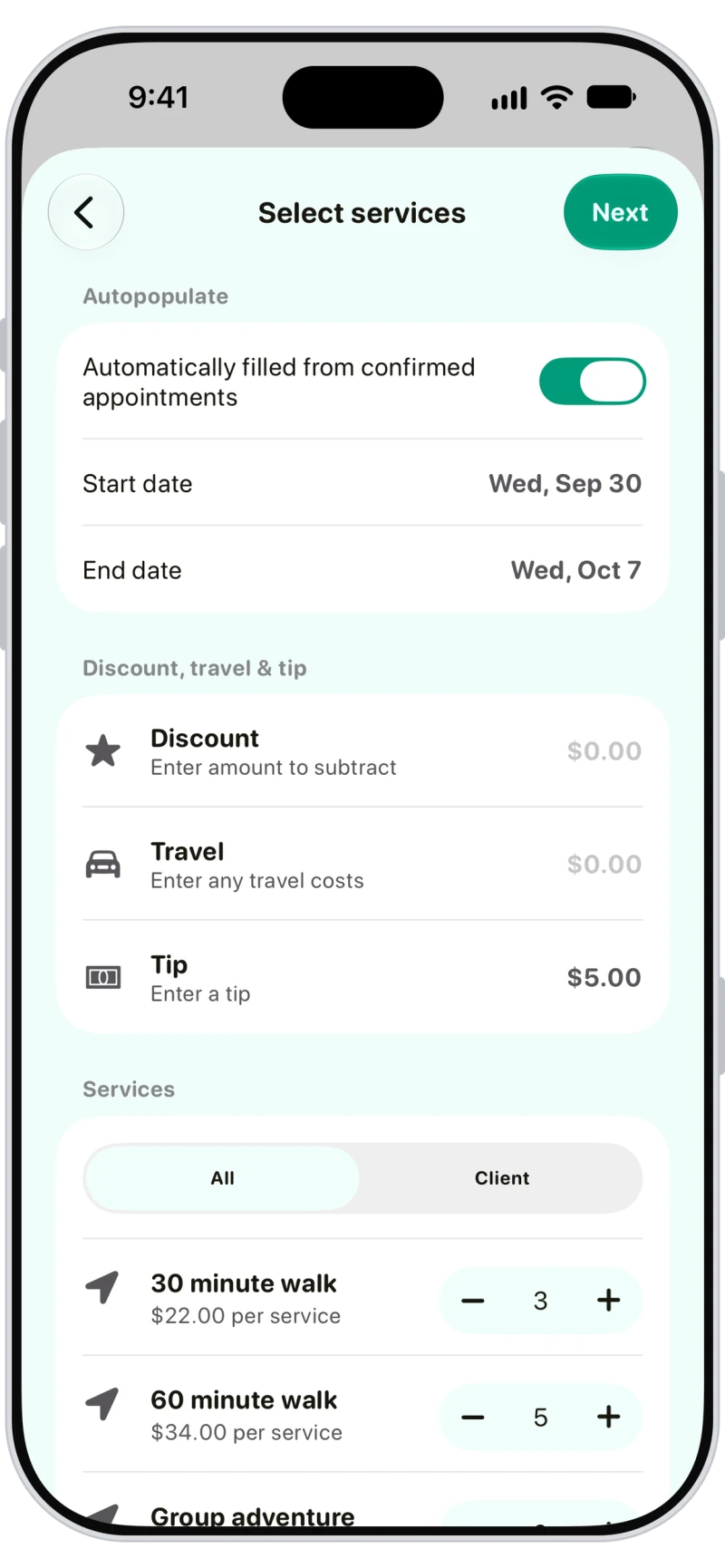
Pick a client and turn on Autopopulate to fill the invoice from their confirmed appointments between two dates, then add a discount, travel or tip. Saving sends it automatically, with a link that works in any browser.

Automatic recurring invoices
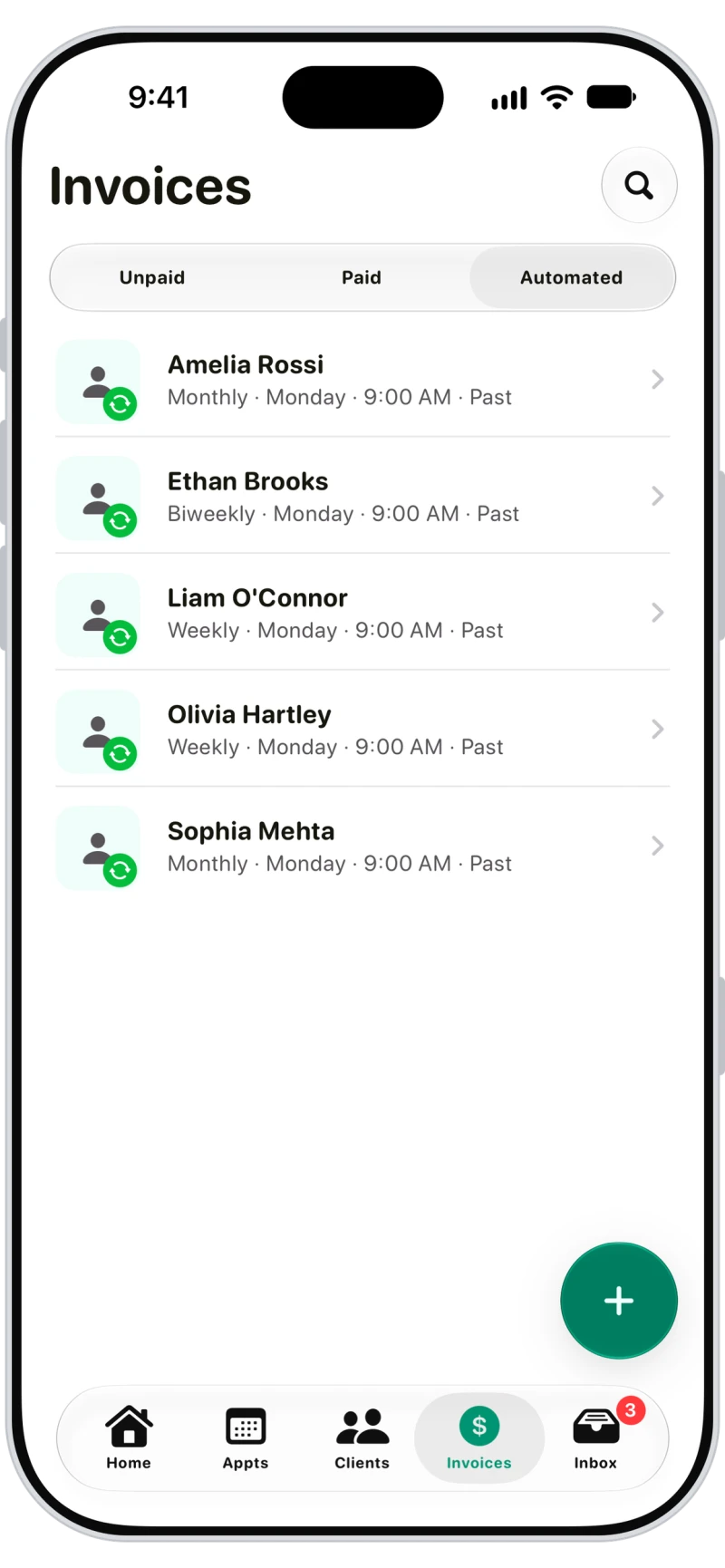
Set each client to be invoiced weekly, every two weeks or monthly for past or upcoming appointments. Anything already invoiced is skipped, and nothing is sent when there's nothing to bill.

Walkies Pay: cards, Apple Pay and Google Pay
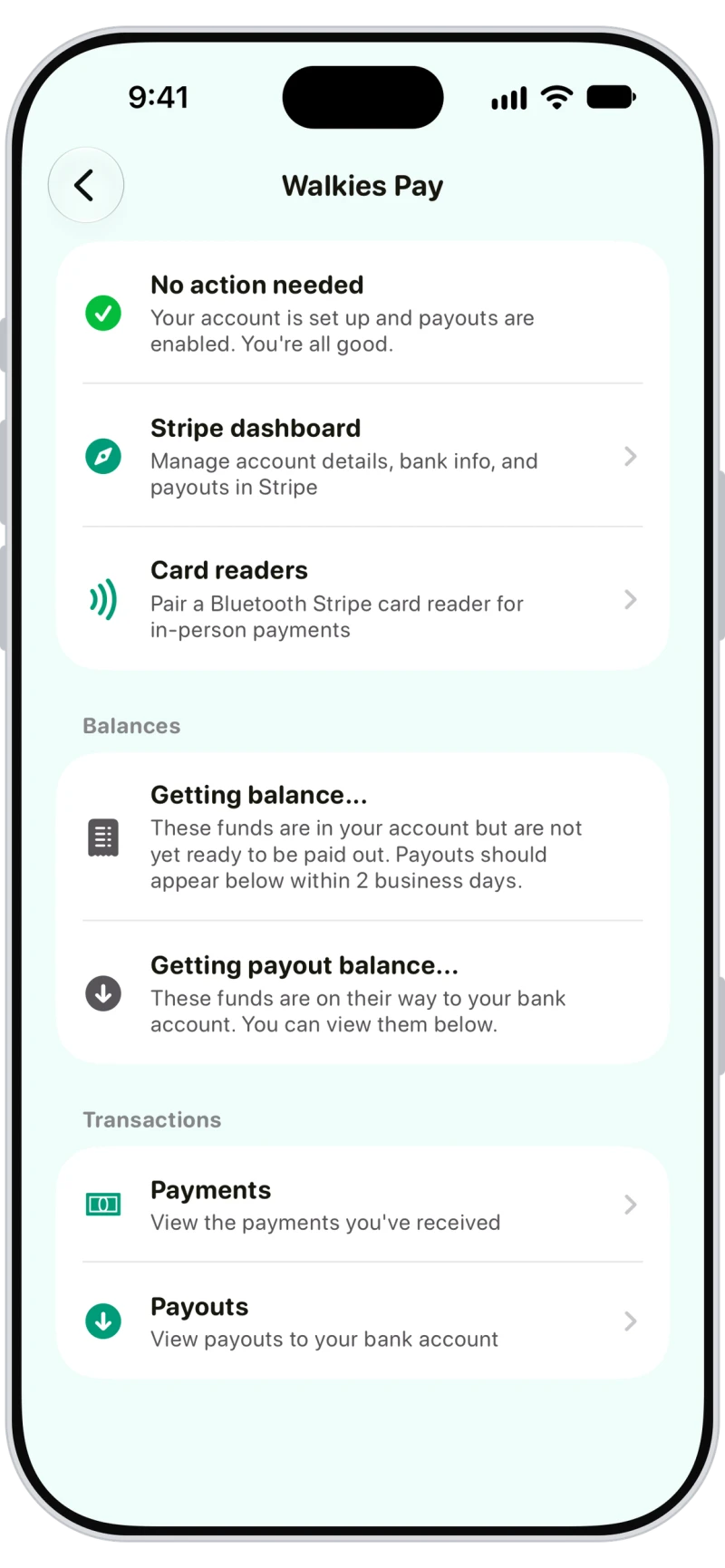
Walkies Pay runs on Stripe. Clients pay by card, Apple Pay or Google Pay and invoices mark themselves paid. There's no Walkies fee, no setup fee and no monthly fee, just Stripe's rate (2.9% + $0.30 in the US).
Clients pay invoices online from their phone
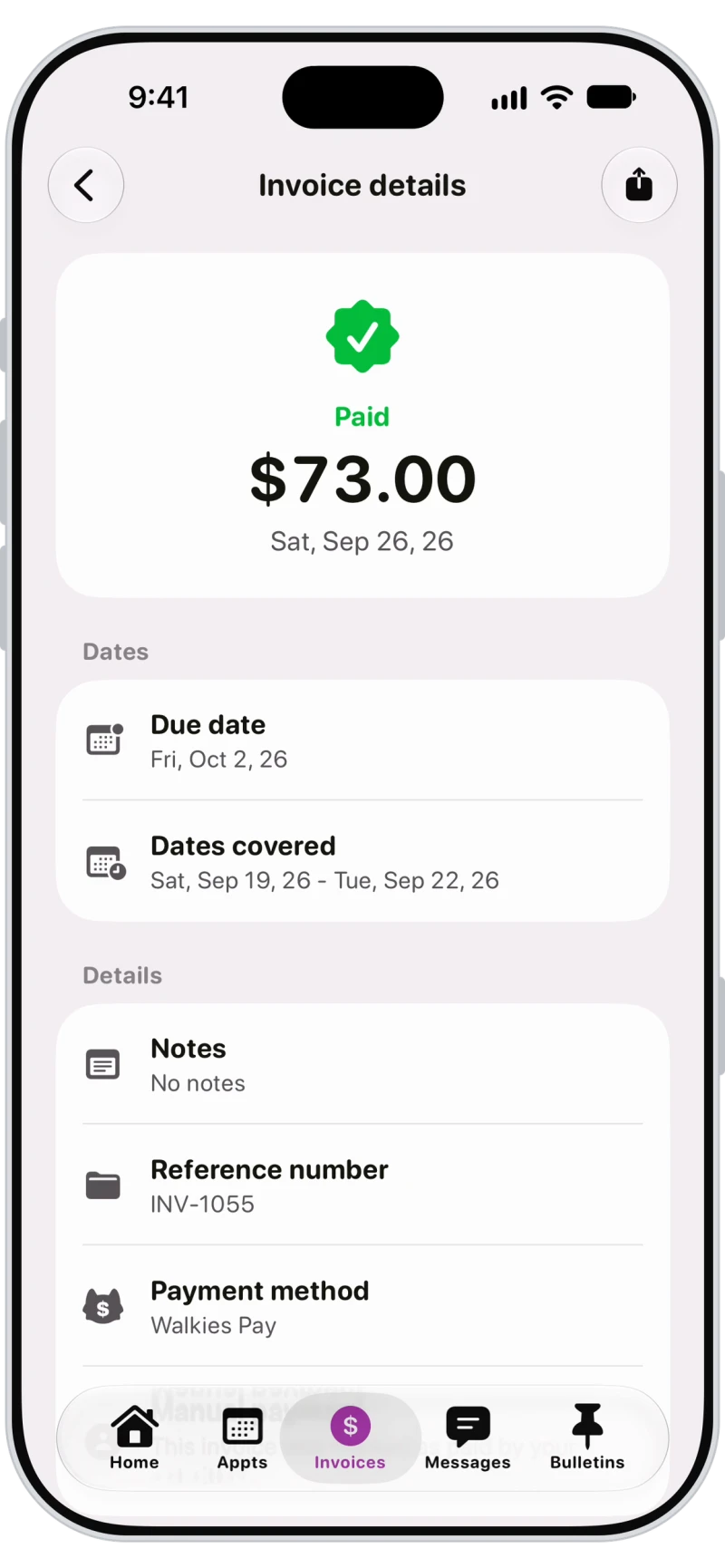
Owners pay in the Walkies Journal app or from the emailed link, add a tip, and see every invoice and receipt. With auto-pay turned on, new invoices are charged straight away.
Automatic late payment reminders
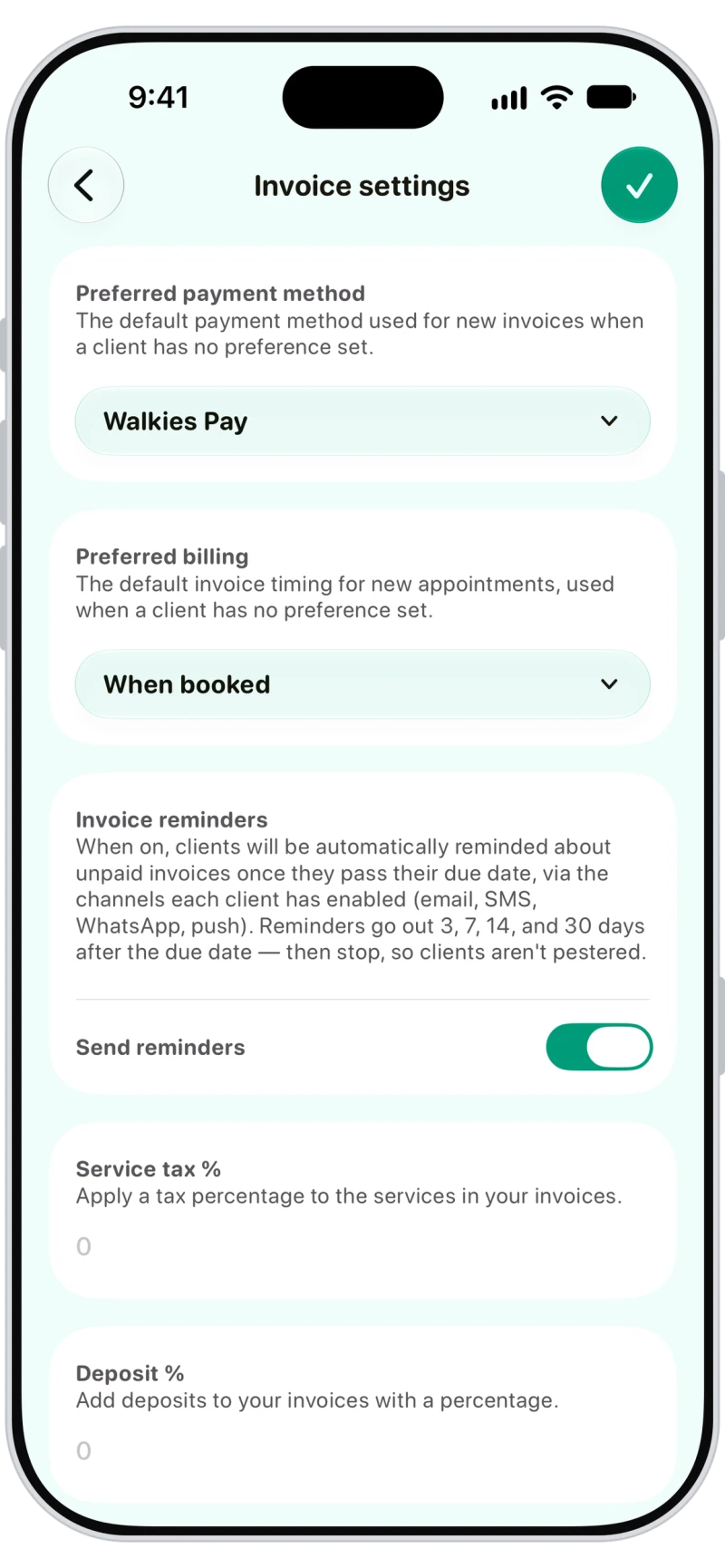
Send a reminder from any unpaid invoice, or turn on automatic reminders at 3, 7, 14 and 30 days after the due date. Set your preferred payment method, billing, tax and deposit defaults in one place.

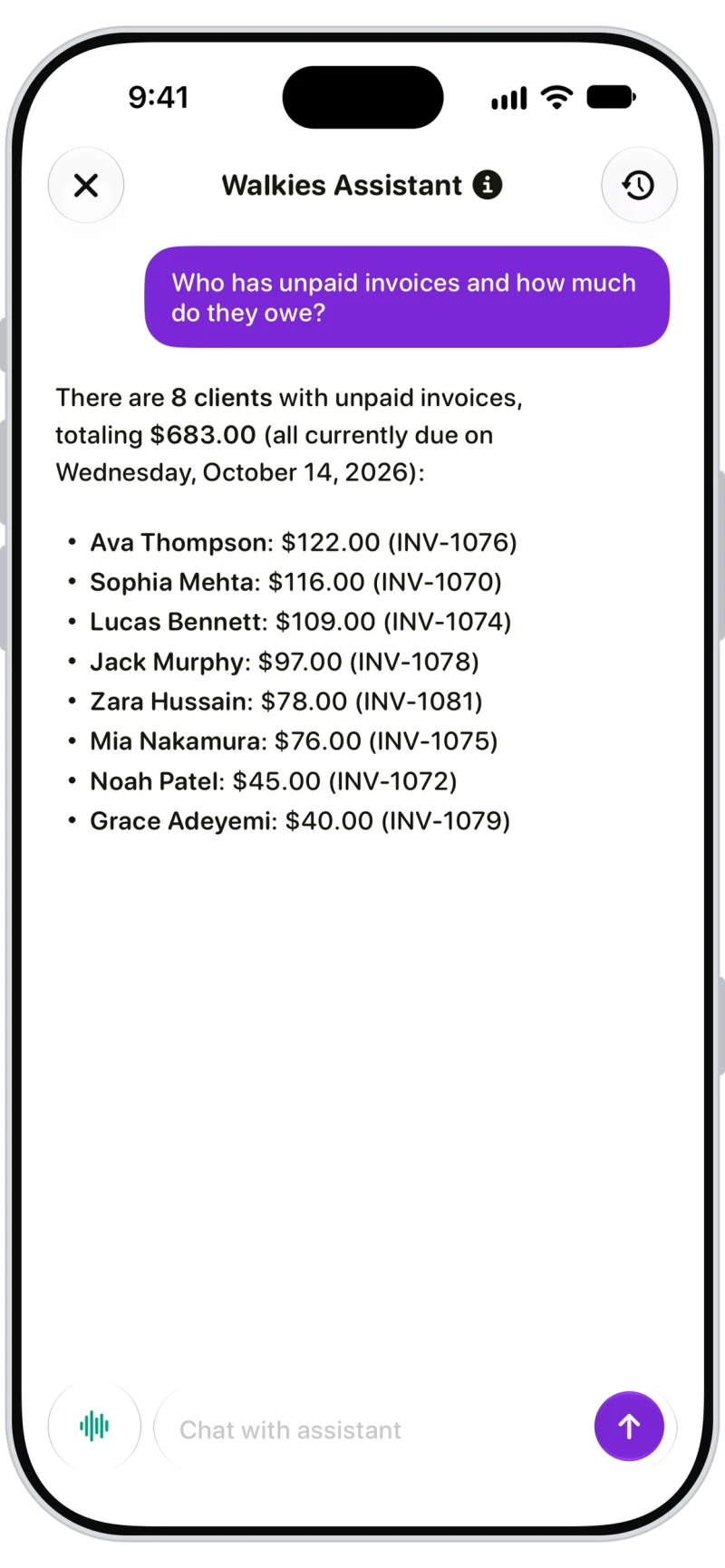
Ask the assistant about unpaid invoices
Ask the Walkies Assistant "who has unpaid invoices?" and it answers from your own data with every client, amount and invoice number.

Frequently asked questions
Clients pay by card, Apple Pay or Google Pay with Walkies Pay, by Venmo, PayPal or Cash App with a Pay button, or by Zelle, check, bank transfer or cash. It all works in the Journal app or from the emailed link, so clients don't need the app.
There's no Walkies fee, no setup fee and no monthly fee. You pay Stripe's rate only: 2.9% + $0.30 in the US, 1.5% + 20p in the UK, 1.5% + €0.25 in euro countries and 1.7% + A$0.30 in Australia. You can pass the card fee on to clients where that's allowed.
Yes. Automated invoices run weekly, every two weeks or monthly for each client, built from their appointments.
Yes. Add a deposit to any invoice or appointment, set a default deposit percentage and due date, and Walkies Pay clients see a Pay deposit button.
Yes, Walkies Pay payments can be refunded in full or in part from the invoice, and the client is told. For other payment methods, refund them yourself and update the invoice.
Yes. Add a credit note to the client and apply it to any invoice. The client is told and can see their credit in the Journal app.
Learn more in the help centre
- Which way of invoicing should I use?
- How do I add an invoice?
- How do I set up automated invoices?
- How do I set up Walkies Pay?
- What are the Walkies Pay fees?
- How can my clients pay me?
- How do I take a deposit?
- How do I send an invoice reminder?
- How do I refund a payment?
- How do I give a client credit?
- How does client auto-pay work?