
Client and pet management for pet sitters
Every client, pet and paper in one place. Walkies keeps owner details, access information, emergency contacts, pet profiles, vaccinations, contracts and documents together, and clients can keep their own details up to date from the free Journal app.

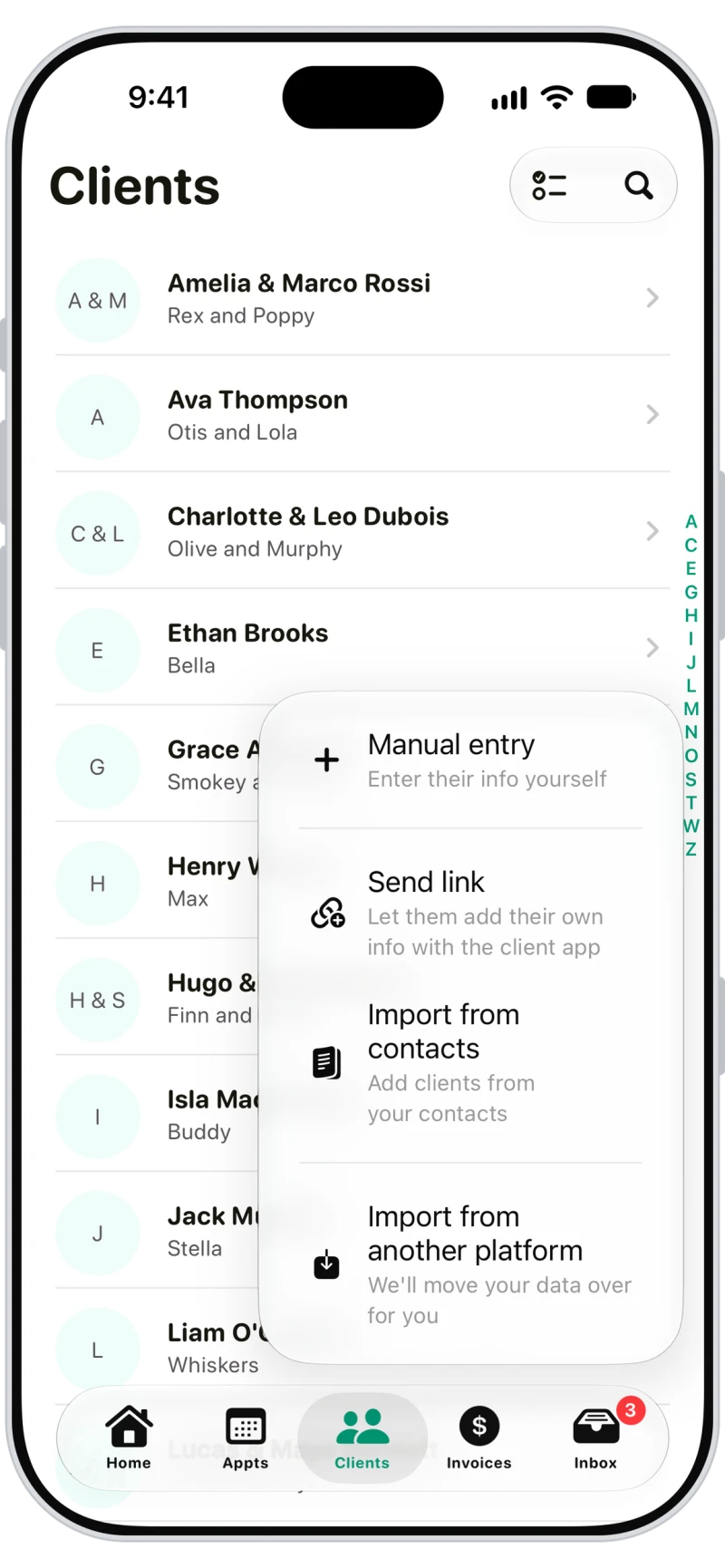
Four ways to add clients
Type them in, send a link so clients fill in their own details, import them from your contacts, or send us a spreadsheet from your old app and we'll import your clients and pets for you.

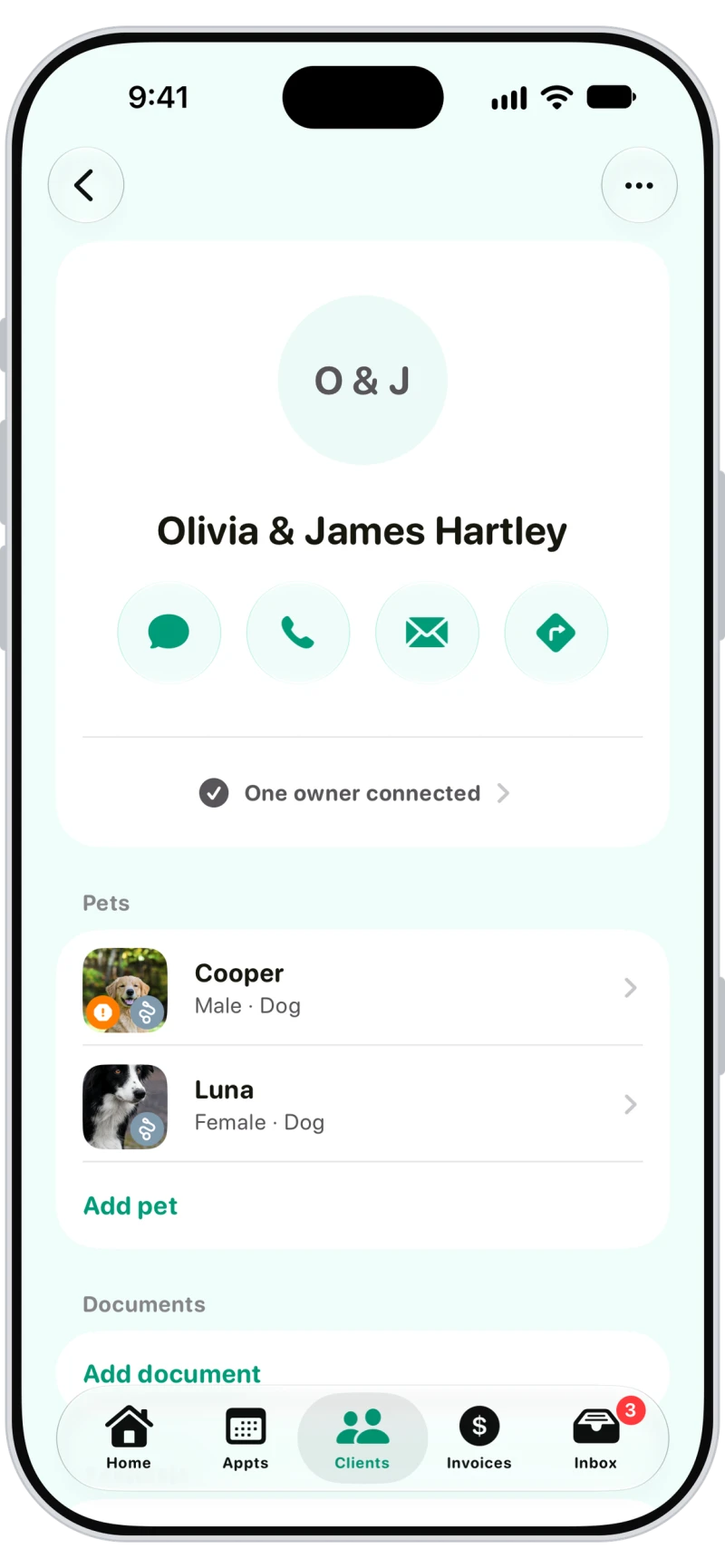
Household details, access info and emergency contacts
Two owners per household, each with their own messages and notifications. Notes for your team, access information like door codes, an emergency contact, and one-tap message, call, email and directions.

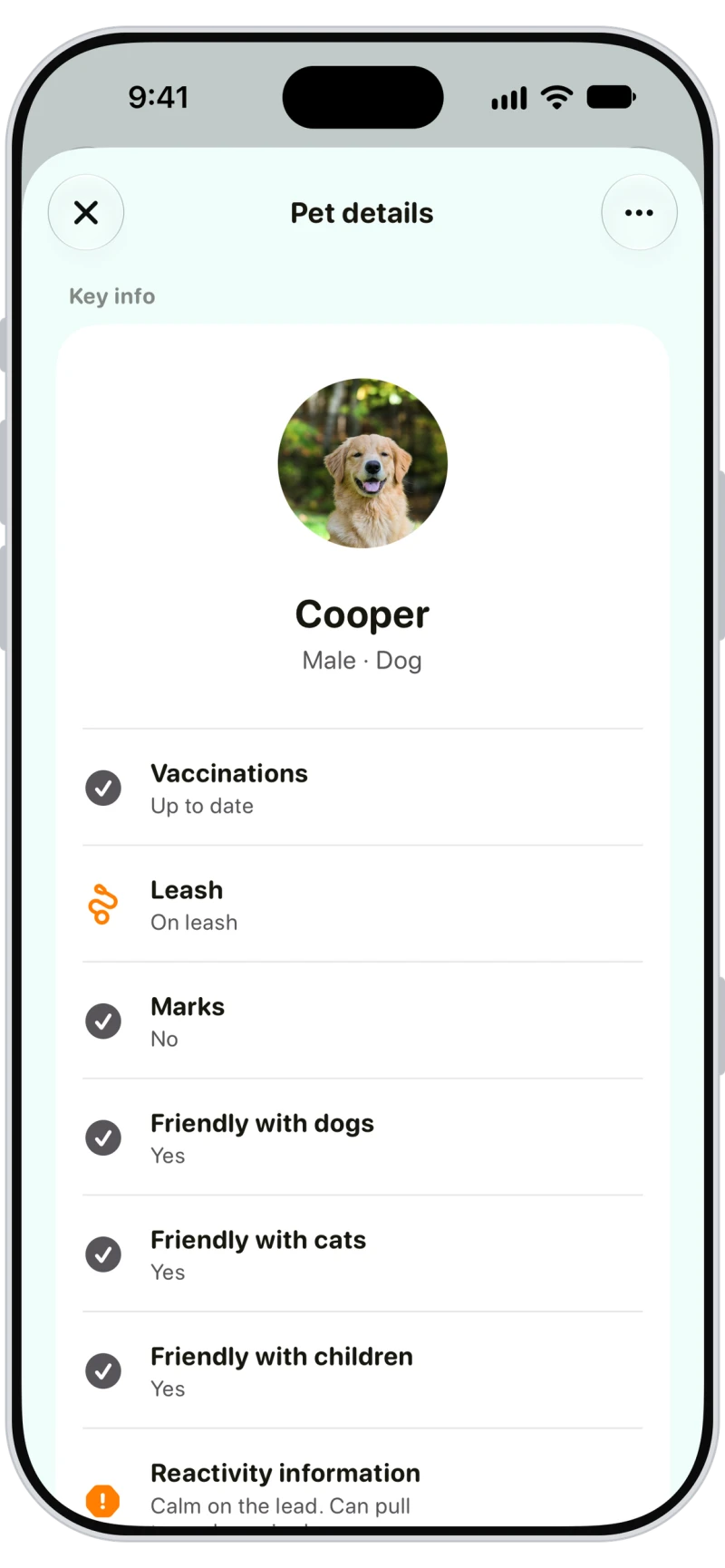
Pet profiles with the details that matter
Breed, weight, microchip, food schedule, how long they can be left alone, friendliness with dogs, cats and children, reactivity, vet and medical notes. Add a date of birth and their birthday goes on your calendar.

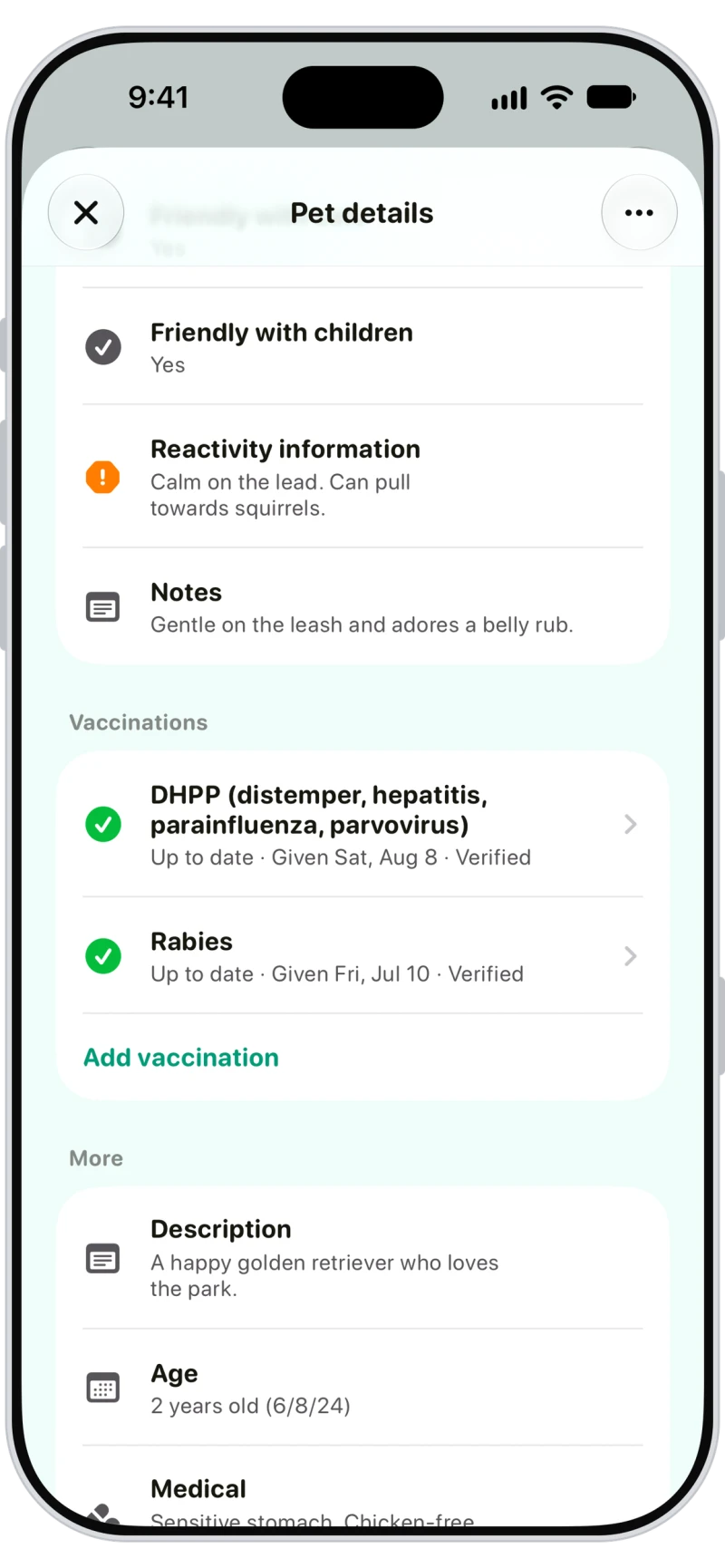
Vaccinations, tracked and verified
Record each vaccination with the date given and Walkies sets the due date, flags anything due or overdue, and can remind owners automatically. Owners can add records from the Journal app for you to verify.

Contracts clients sign in the app
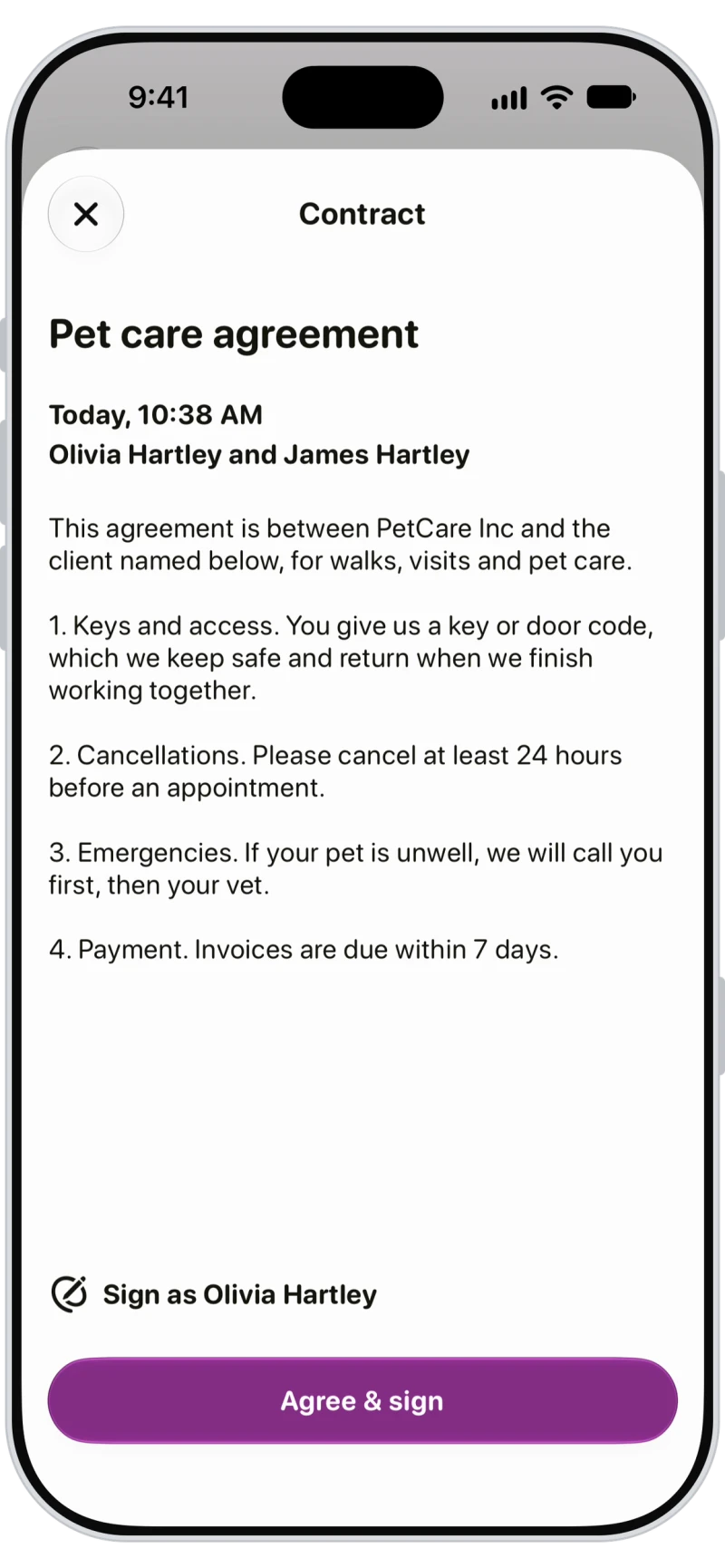
Write your contracts once and send them to one client, every client, or automatically to every new client. Clients read and sign in the Journal app or a browser, and you're told the moment they sign.

Frequently asked questions
Yes. Export a spreadsheet or CSV from your old software and send it to Walkies, and your clients and pets are imported for you.
Yes. Archive them and they're hidden from your lists and pickers while their invoices, appointments and activities stay on record.
No. Clients without the app get everything by email. The free Walkies Journal app adds live walks, messaging, booking, paying and signing contracts.
Yes. Add a second owner and they get their own copy of every message, their own Journal connection and their own notification settings.
Yes. Clients sign your contracts in the Walkies Journal app or a browser, and the client's profile shows Signed with the date. Contracts are plain text; attach files with Documents instead.
They're hidden from your lists and pickers, but their invoices, appointments and activities stay. Archiving doesn't cancel future appointments, and you can restore them any time.
Learn more in the help centre
- How do I add a client?
- Which way should I add my clients?
- How do I send a client a link to add their own details?
- How do I import clients from another platform?
- How do I add a second owner to a client?
- How do I add a pet?
- How do I add a vaccination record?
- How do I create a contract?
- How do I send contracts to new clients automatically?
- How do I archive or restore a client?
- How do I add custom questions?