Get more Google reviews without chasing clients
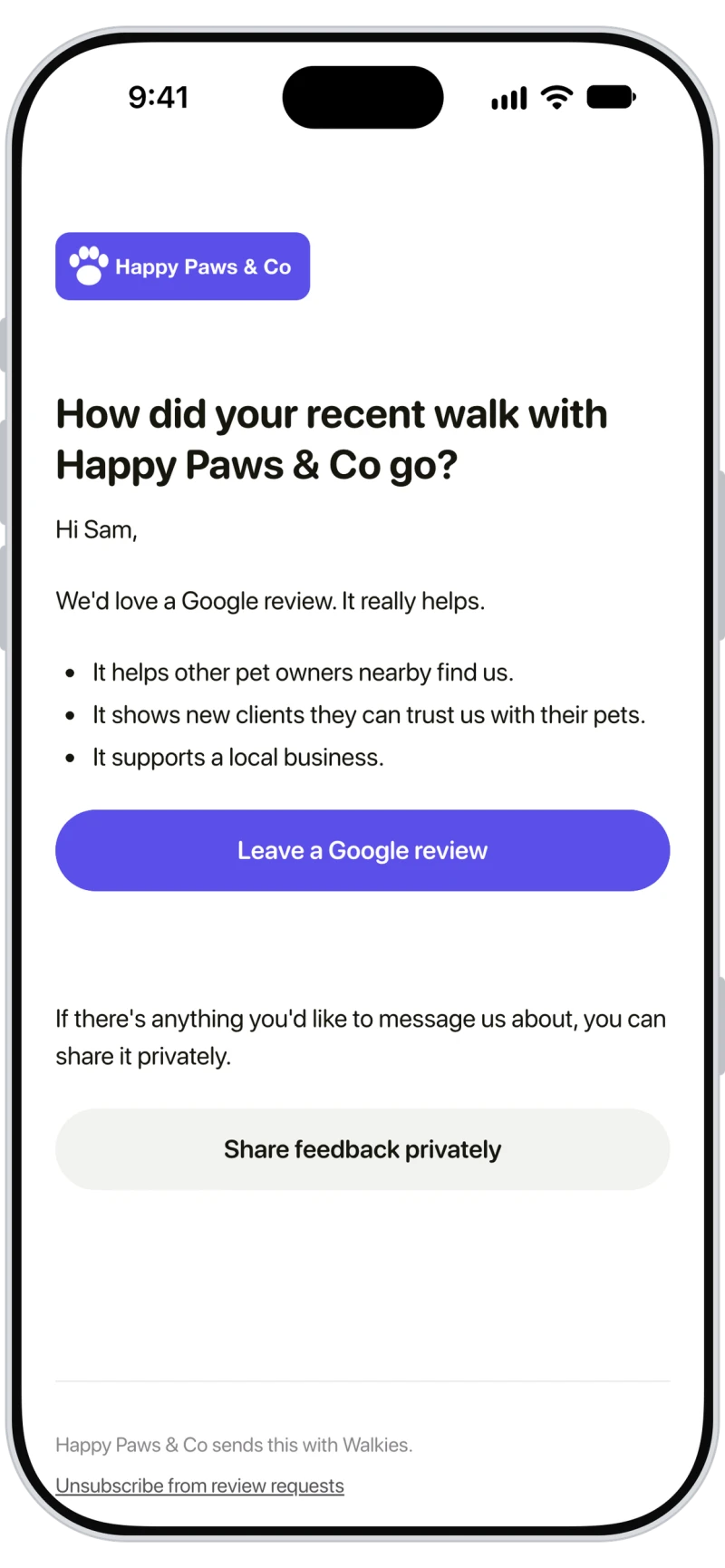
After a walk or a visit, Walkies emails your client a short "How did it go?" with two choices: leave a Google review, or send you feedback privately. It picks the moment, never asks too often and stops once they've reviewed. Included with Walkies Max.

A public review or a private word
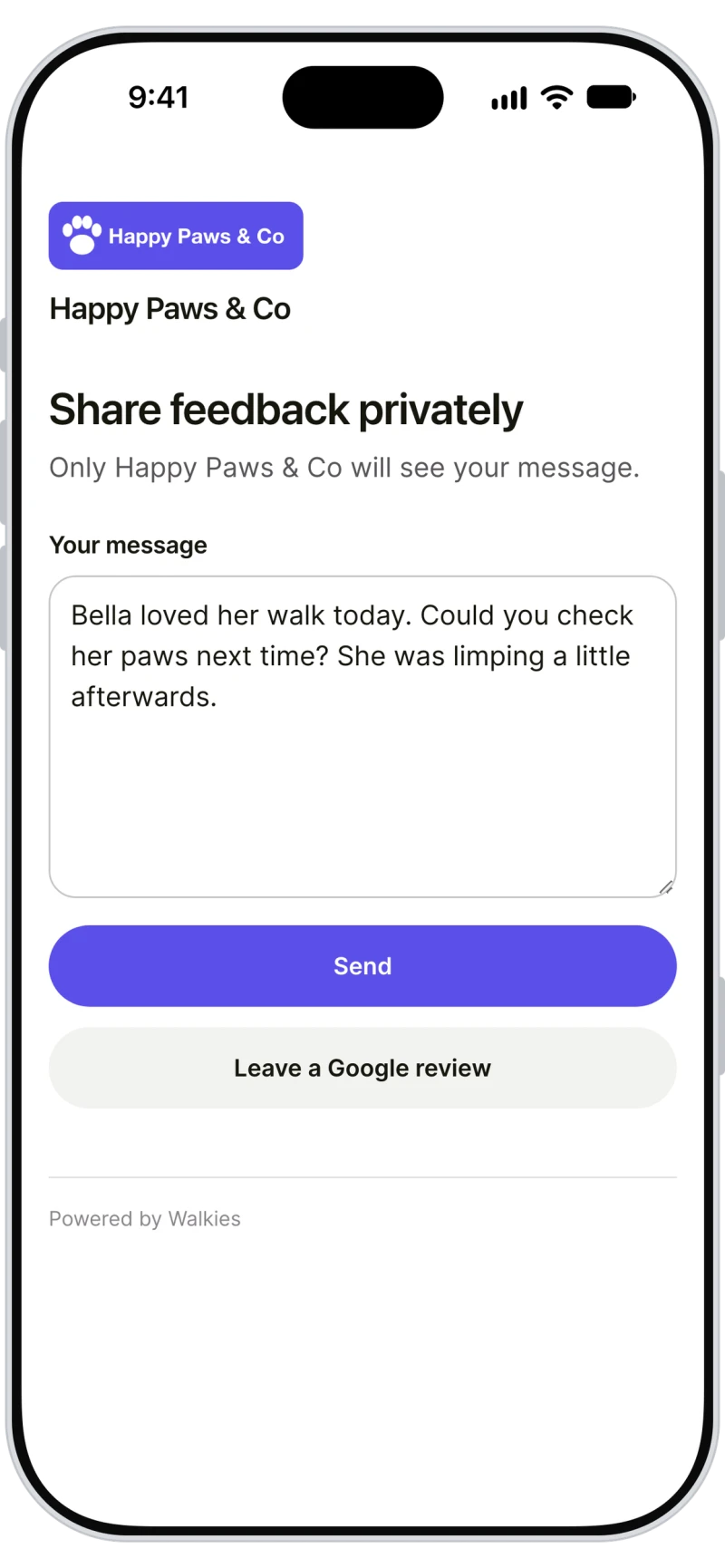
Every client gets the same email, with your logo and brand color, in their own language. Leave a Google review opens your Google review form. Share feedback privately opens a page where they write to you, and only you see it. Walkies never asks only the happy clients, which Google's rules don't allow.

Find your business on Google
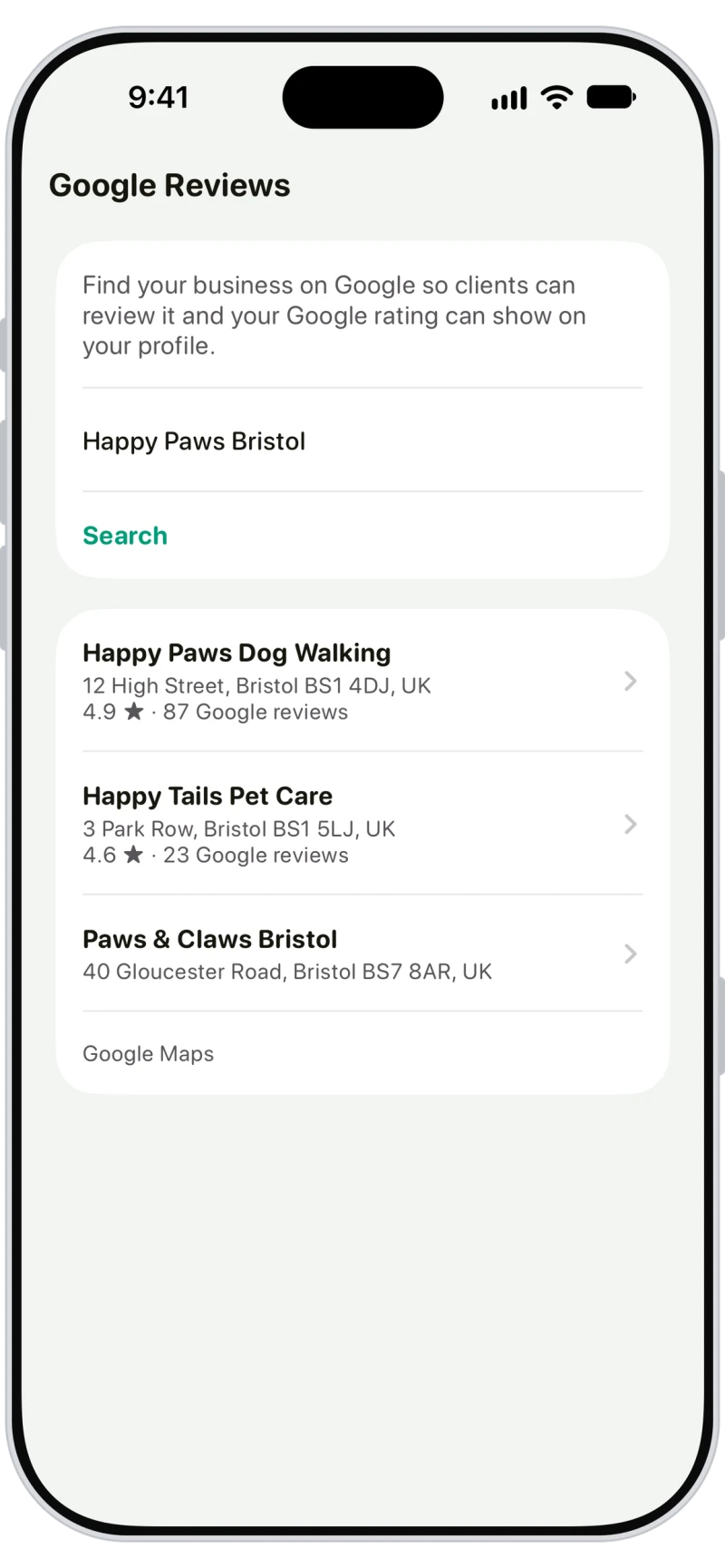
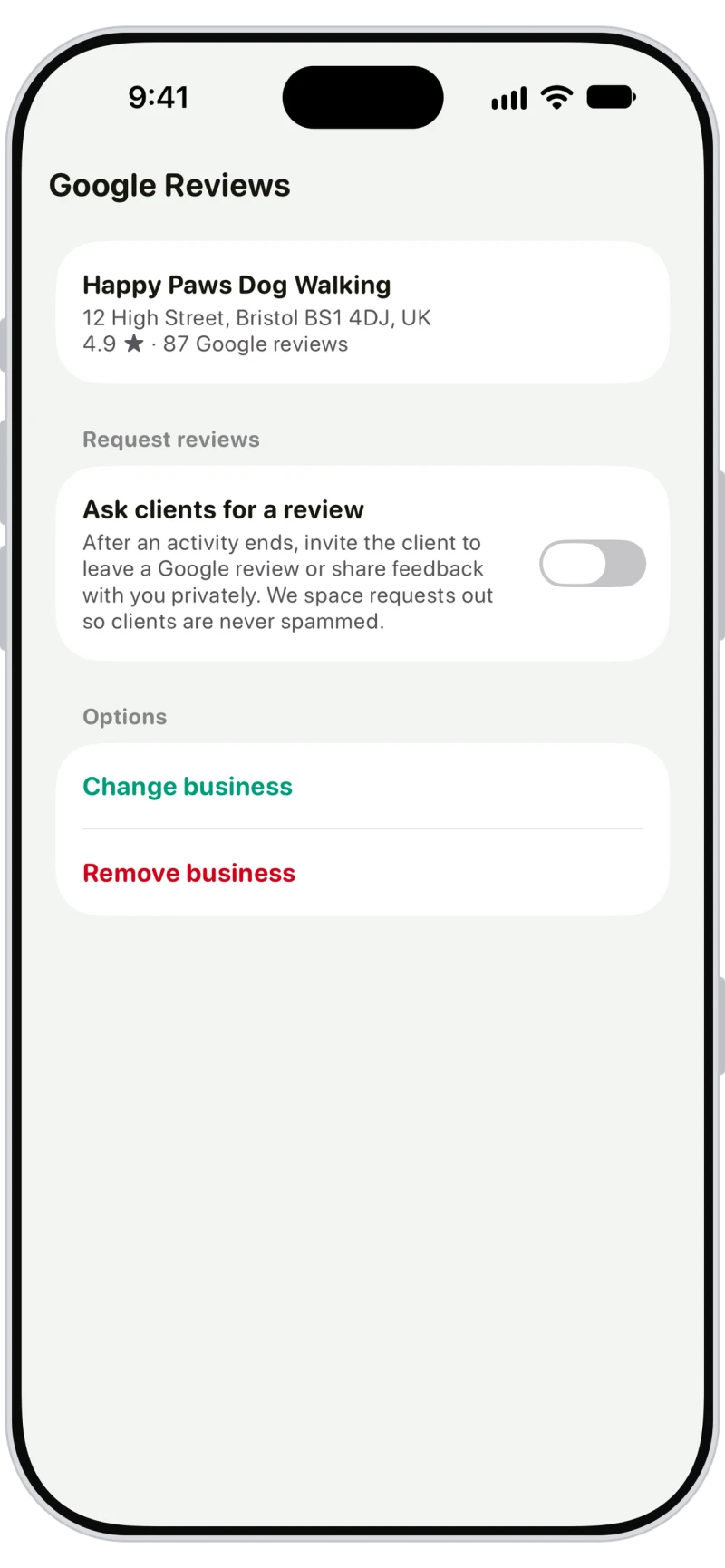
Tap the menu button on Home, then Google Reviews under Company. Search for your business name and town, tap your business and choose Use this business. There's no Google account to connect, but your business needs to be on Google Maps.
Turn on Ask clients for a review
Under Request reviews, turn on Ask clients for a review and Walkies emails your clients after their walks and visits. Your business shows with its Google rating, updated once a day. Admins and sub-admins can set it up.
Smart timing that never spams
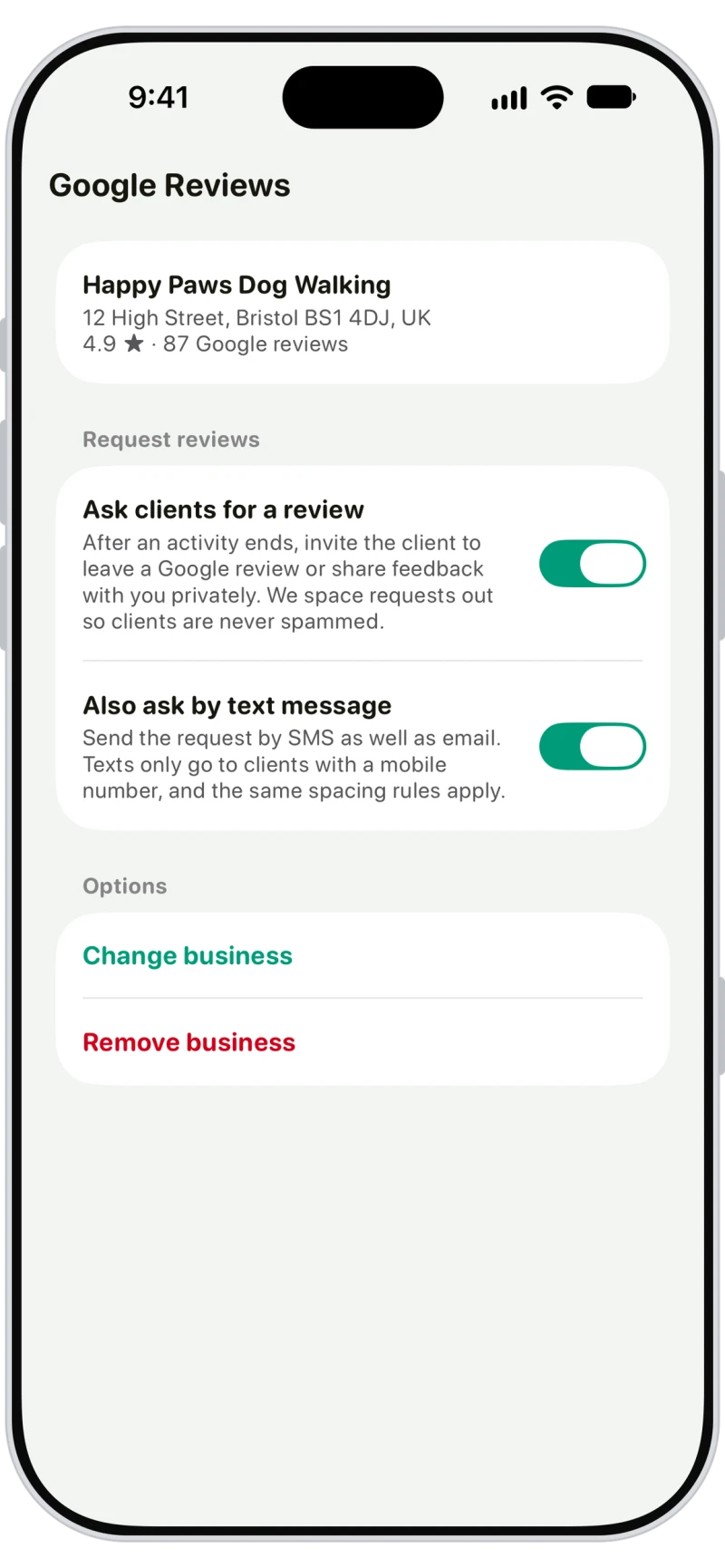
Clients are asked at least 2 hours after a walk or visit ends, between 10 AM and 7 PM in your timezone. Each client is asked at most once every 30 days and 3 times in all, and never again once they tap Leave a Google review. Turn on Also ask by text message to text them too.

Frequently asked questions
Walkies asks your clients for a Google review after their walks and visits, by email and, if you turn it on, by text. Each request goes out at a good moment, requests are spaced out so nobody is pestered, and they stop once a client has tapped Leave a Google review.
Walks, hikes, runs and pet taxi trips, and pet sitting visits like drop-ins, daycare, boarding, home sitting, training and grooming. A meet and greet never brings a review request.
At most once every 30 days and 3 times in all. A client who taps Leave a Google review, or unsubscribes, is never asked again. Your business sends up to 50 review requests a day.
Yes. Every email has an Unsubscribe from review requests link, and every text has a Stop link. Unsubscribing stops review requests only, not your other emails and texts.
You get an email with their message, their name and pets, and their email address and phone number. Reply to that email to answer them. Nothing is posted to Google.
No. You find your business on Google by its name and town, and Walkies asks clients to review it. Your business needs to be on Google Maps, so set up a free Google Business Profile first if it isn't.
Google review requests are included with Walkies Max. If you move off Max, requests stop and your settings are kept for when you're back.