Dog walk report cards owners love to share
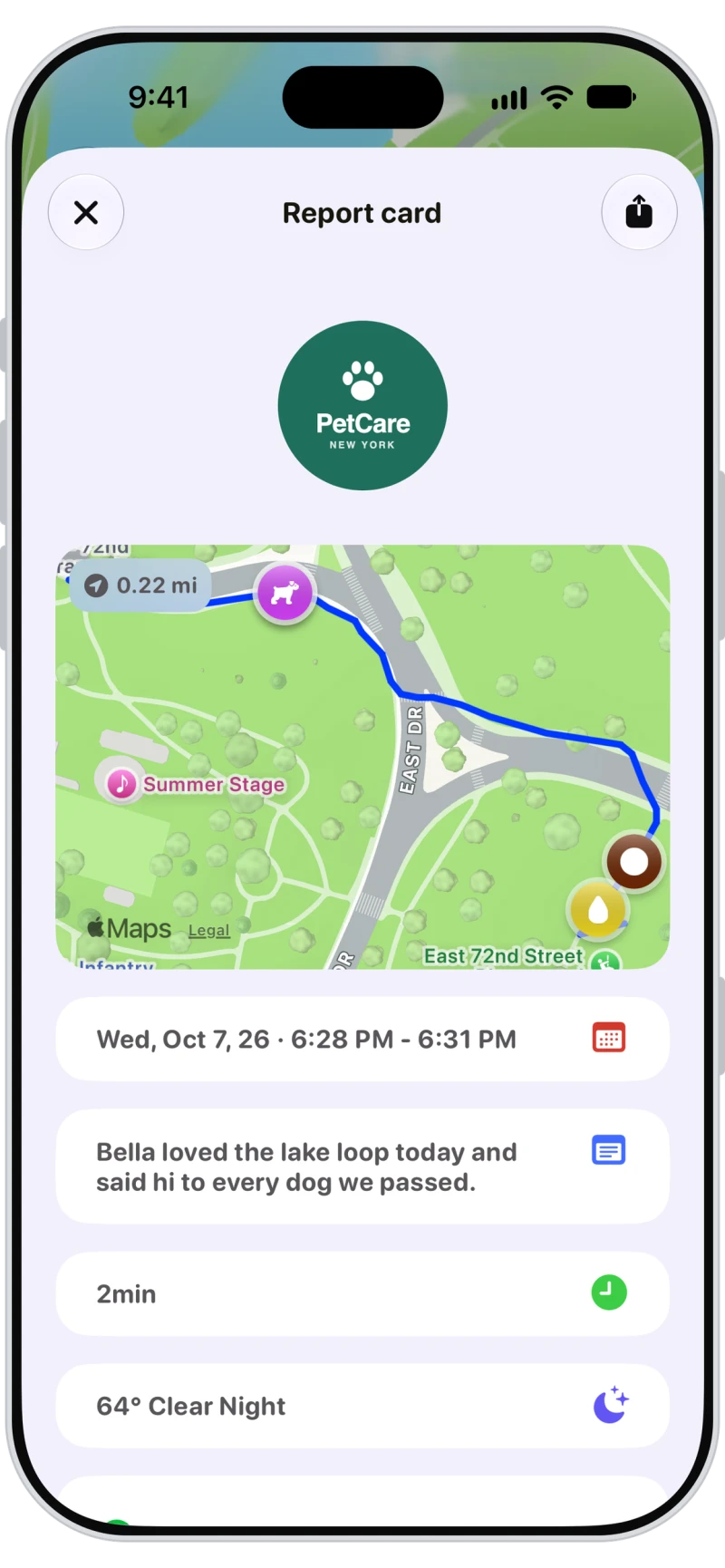
Every walk and visit in Walkies ends with a report: route map, distance, time, weather, photos, videos, updates, notes and the checklist. Share it as a link to the full report, or as a report card picture by text, WhatsApp or any app.

A report card picture for any app
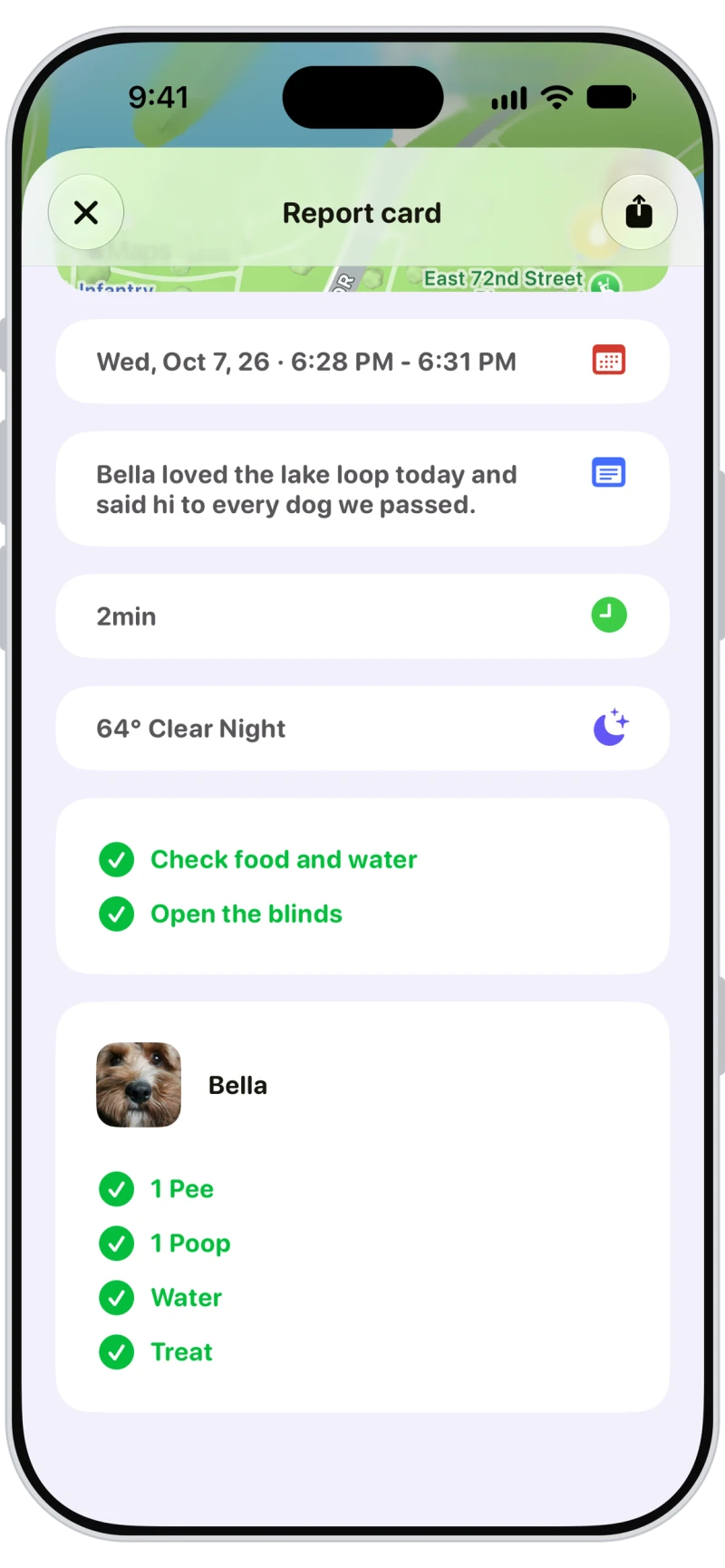
The report card is one picture with the route map, the date and time, your notes, the duration and the weather, ready to send by text, WhatsApp or anything else on your phone.
Checklists and every pet's stats
Ticked checklist items get a green tick, and each pet gets their own card with pees, poops and their updates. Prefer not to share the counts? Hide them on report card pictures in Activity settings.
The full report in the Journal app
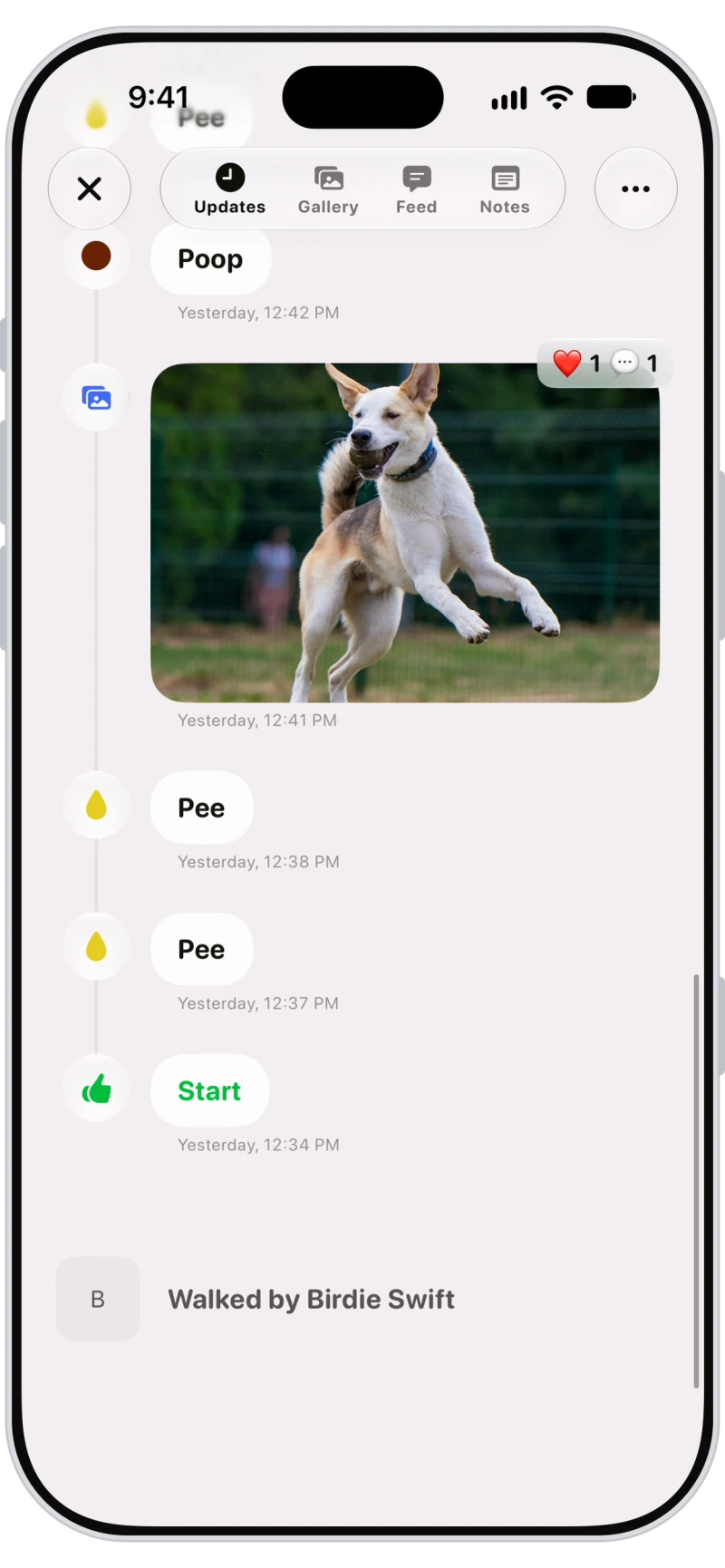
Owners open the full report in the free Walkies Journal app, or from the link in any browser, with updates, photos and videos on the timeline and the map. They can react with an emoji and save every photo.
Walk photos and videos owners can react to
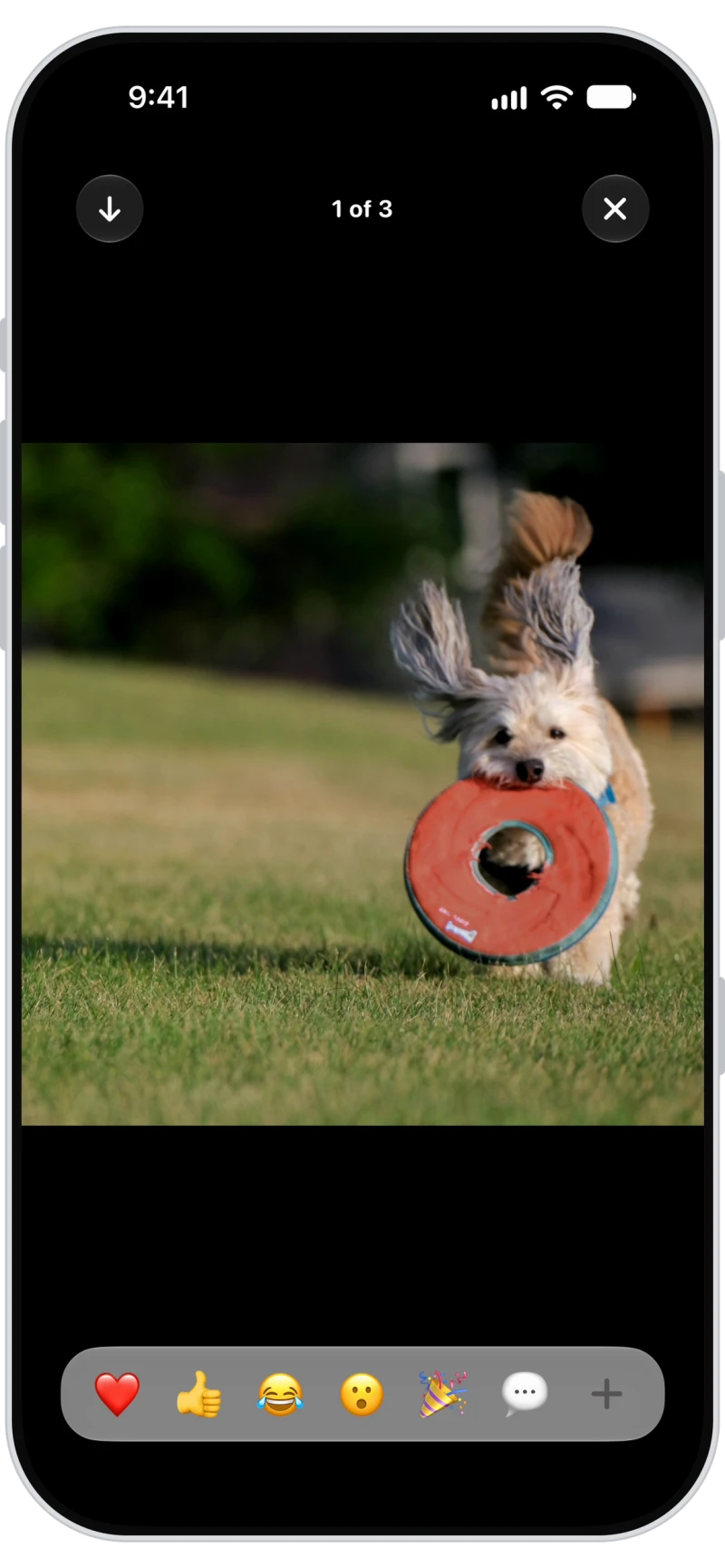
The Gallery tab shows every photo and video from the walk full screen. Owners react with an emoji, comment, or download them all in one go.

Frequently asked questions
A Walkies report card shows your logo, the route map with pins and distance, the date and time, duration, weather, your notes, the checklist, and a card for each pet with their pees, poops and updates.
Link shares a web page with the full report, photos included. Report card shares a single picture you can send by text, WhatsApp or any app.
Yes. Clients who don't use the Journal app get the report by email with a link that opens in any browser.
Yes. Turn on Hide checklists, pee count, and poop count on report card pictures in Activity settings. It only changes the picture, not the Journal report.
Yes. Team members can share report cards for the walks and visits they do.