
The real question behind leaving Rover
Every Rover payout statement shows the same thing: a slice of each booking that never reaches you. If you're thinking about leaving Rover, keeping that slice sounds simple, until you realise that going the wrong way about it can cost you your account, the reviews you've earned and the regulars who fill your week.
This guide is for established sitters weighing that move. It covers three things: the money you'd actually keep, the jobs Rover was doing that you'll now own, and a staged way to grow your own client list while the clients you met on Rover stay where they are.
The rule to respect first: two groups of clients
Rover's Bookings on Rover page says plainly that arranging care through Rover and then completing it off the platform goes against its Terms of Service, and that it can cost you your access. Its help article on direct payments goes further: if a client offers to pay you directly, Rover asks you to say no. Off-platform payments lose Rover's Guarantee and support, and both your account and the owner's can be suspended.
So think in two groups. Clients you met on Rover keep booking and paying on Rover. Clients you find yourself, through neighbours, friends, local groups or your own website, book with you directly. Houndtrust's leaving guide takes the same line: finish everything arranged through Rover on Rover, and build your independent business from people who never came through it.
You'll see other guides suggest telling your Rover regulars they can book with you directly instead. That runs straight into Rover's own policy, so skip it. Read Rover's live terms before you change anything, and if you're unsure how they apply to a specific case, ask Rover's support team or a qualified professional rather than guessing.
Fees kept: doing the real maths
Rover's cut isn't one number everywhere. Its help pages explain that take-home rates vary by country, by when your profile was approved and by the services you offered at the time. Third-party sources quote all sorts of figures, so don't rely on a number from a blog post. Your own payout statements and Rover's UK help page on sitter fees are the figures to trust.
There's a second fee people forget. In many markets the owner also pays a service fee at checkout, on top of your rate. When you go direct, both fees disappear. That means you're setting a new price, not just keeping a few extra pounds.
Here's an illustrative example, not Rover's actual rates. Say an owner's checkout total for a drop-in was £45, your listed rate was £40, and £32 reached your account. Between the two fees, £13 never reached you. Charge a direct client £40 and they pay £5 less than before, while you receive £40 minus card processing. Payment processors such as Stripe publish their per-transaction rates, so look those up rather than estimating.
To run your own numbers, plug your real rates into the Rover fees calculator. Then subtract what you'll now carry yourself: processing fees, software, marketing and the hours you'll spend on admin. And since the Rover Guarantee won't apply to direct work, talk to an insurance professional about cover before you take your first direct booking.
What Rover was quietly doing for you
The fee wasn't only a cost. It paid for systems you've probably stopped noticing, and each one becomes something you set up and run yourself.
Rover charges owners before a booking starts and pays you a couple of days after it ends, so you've never had to chase anyone. It helps sort out payment problems on bookings made through it. It has its own cancellation rules for owners and helps them find another sitter if one falls through. It keeps a record of your messages and lets you block and report someone. List these before your first direct booking, and decide how you'll cover each one.
- Payment timing: decide whether direct clients prepay, pay a deposit or pay on invoice after care.
- Chasing payments: plan how you'll remind and follow up on late payments.
- Cancellations: write a policy with clear notice periods and what's refunded.
- Backup cover: line up another trusted sitter for when you're ill or double-booked.
- Records: keep client, pet, access and emergency details in one place, not scattered across texts.
- Message history: keep client conversations somewhere you can search later.
- Reviews: start collecting your own, because your Rover reviews stay on Rover.
Running bookings and payments yourself
Start with a short written policy for direct clients: how they book, when they pay and what happens if they cancel. Share it before the first booking, not after the first problem. Clients tend to respect boundaries they agreed to up front.
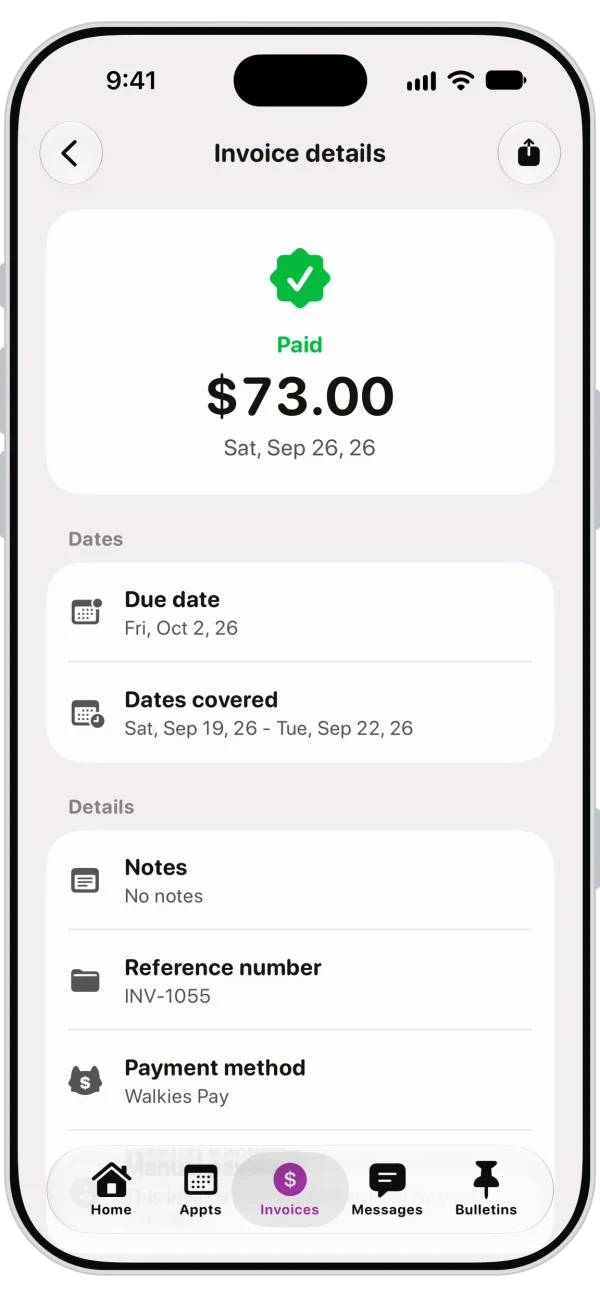
For getting paid, Walkies handles invoicing and card payments through Walkies Pay, which runs on Stripe and works the same way in every country. Clients can pay by card, Apple Pay or Google Pay. You can take deposits, set up recurring invoices for regulars and turn on automatic late payment reminders, so you're not writing awkward follow-up texts. You can also set your own cancellation policy in the app.
Your clients get the free Walkies Journal app. From their phone they can book from your available times, pay invoices, message you and sign your contract before the first visit. They deal with your business directly, with no marketplace in the middle.
Here's how that plays out. A new direct client books a week of overnights over Christmas. You accept the request and send a deposit invoice, the client signs your contract in the app, and your Christmas surcharge is added to the price. When the stay ends, the balance invoice goes out, the client pays from their phone, and if they forget, a reminder follows without you lifting a finger.
Building a client list that's actually yours
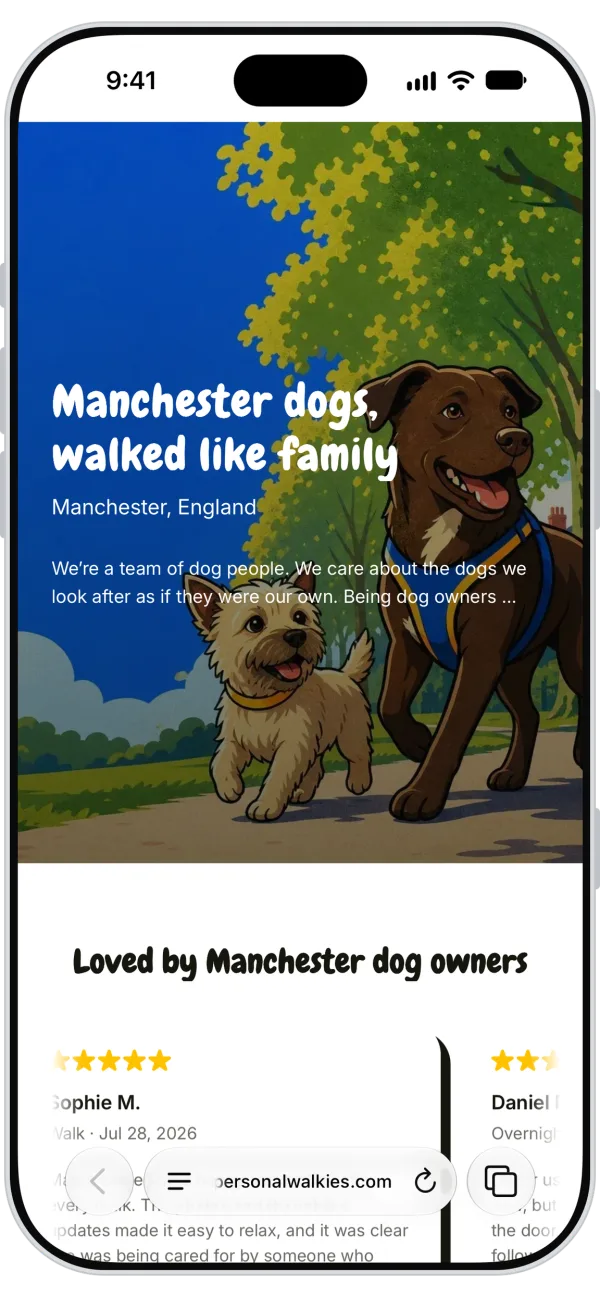
On Rover, owners find you on a marketplace. Off it, they need to find you and recognise you when they do. With custom branding in Walkies, you add your logo and brand colour and get an online profile that works as a simple website for your business. You can also watermark the photos you share, so every visit picture carries your name when an owner forwards it to family.
Reviews take time to rebuild, so start early. A Google Business Profile is a common place to collect them, and BooknBuddy's guide suggests the same. Ask each happy direct client for a short review after their first few bookings, while the experience is fresh.
Your first direct clients will usually come from the people around you: neighbours, friends of current direct clients and local community groups. Make it easy for them to book, and obvious who they're booking with.
A staged switch, step by step
You don't have to quit in one go. Running both side by side lets Rover income cover your bills while your direct list grows, and it keeps you within Rover's rules because each client stays in the channel where you met them.
- Keep your Rover profile active and keep serving Rover clients on Rover.
- Put your direct prices, payment policy and cancellation policy in writing.
- Set up invoicing, card payments and client records before your first direct booking.
- Take on direct clients only from sources outside Rover.
- Track each month how much income comes from direct clients versus Rover.
- When you're ready to cut back, check Rover's help centre for current profile options. Houndtrust mentions pausing your profile or turning off services.
- Before deactivating, accept that your Rover reviews, ratings and booking history stay behind.
Is it worth it yet? A short self-check
There's no universal number of direct clients that makes leaving safe, so work out your own. Add up what you need to earn each month. Then total your direct bookings at your new prices, minus processing, software and other running costs. The gap between those two figures is what Rover still covers for you.
If the gap is large, keep both going and put your energy into growing your direct list. If it's small and your direct clients book regularly, cutting back on Rover may make sense. Either way, let your own numbers make the call.
- How many direct clients book with you each month?
- Do your direct earnings after costs cover your fixed bills?
- Do you have a written payment and cancellation policy?
- Do you have a backup sitter you trust?
- Are your client records and contracts in one place?
Can I take my Rover clients with me when I go independent?
Not by moving their bookings off the platform. Rover says that arranging care on Rover and completing it elsewhere breaks its terms and can lead to losing access. Keep clients you met on Rover booking there, and build your direct business from clients you find yourself.
How much more will I keep if I leave Rover?
It depends on your country, your rates and when your profile was approved, so check Rover's UK help page on sitter fees rather than relying on a figure you've read elsewhere. Look at your payout statements, try a fees calculator, and remember you'll pay card processing and software costs on direct bookings.
Do I have to delete my Rover profile to start my own business?
No. Many sitters run both for a while, serving Rover clients on Rover and direct clients through their own system. If you later want to pause or cut back your profile, check Rover's help centre for the current options.
What happens to my Rover reviews if I leave?
They stay on Rover and don't transfer to your own business, and if your account is deactivated you lose them. That's why it helps to start collecting reviews elsewhere, such as a Google Business Profile, well before you cut back.