The one Rover rule to know before you start
Your Rover calendar may be full, but a cut of every booking goes to fees, and none of those clients feel like yours. So you start wondering how to get pet sitting clients outside Rover. Underneath that sits a quieter worry: if you start finding clients on the side, could it get your Rover account shut down?
The answer depends on where each client came from, so start with the line Rover draws. Rover’s help centre says a booking arranged on Rover has to be completed and paid on Rover. Setting it up there and finishing it somewhere else breaks its Terms of Service and, in Rover’s words, could cost you access to the platform.
Rover also lists what you’d lose: the chance to grow your business through Rover, your reviews and star ratings, and Rover’s booking protection for those jobs. Its protection terms name bookings made outside Rover among the exclusions. On the owner side, Rover tells pet owners that booking and paying through the platform is a requirement, and not to pay sitters in cash or by cheque.
That gives you a workable plan: build a second list of clients who found you on their own, and leave every client Rover introduced you to on Rover. Terms change, so read Rover’s current Terms of Service yourself, and talk to a professional if you need legal advice about your setup.
Keep two client lists, and tag every client on day one
The habit that keeps you safe is a boring one: record where each client came from the moment they first get in touch. If someone found you through Rover, they’re a Rover client for good, even if they later discover your website.
Put a ‘How did you hear about me?’ question on your enquiry form, and ask it on the phone too. Write the answer and the date into that client’s record so you aren’t relying on memory six months from now.
Here’s how it plays out. Dana gets a text from Priya, a neighbour who saw her flyer at the local vet. Priya is a direct client. A week later, Priya’s sister messages Dana on Rover after searching there. The sister is a Rover client, even though she’s related to a direct one, so her bookings and payments stay on Rover.
- Rover client: found you on Rover, so booked, messaged and paid on Rover, always
- Direct client: found you through friends, Google, Nextdoor, flyers, partners or your website
- Not sure: treat them as a Rover client until you can confirm otherwise
- Log the channel and date of first contact for every new client
Start with people who already know you
Your first direct clients usually come from people who already trust you: neighbours, friends, colleagues, the regulars at the local park, and anyone you sat for before you joined Rover. A short personal message tends to land better than a public post.
Try something like: ‘Hi Sam, I’m taking on a few new pet-sitting and drop-in clients around [your area] this spring. If you or anyone you know needs help, you can book with me directly here: [website or phone].’ Say what you offer, where you work and how to reach you. That’s plenty.
One message rarely does it. People forget, and plans change. A friendly note before the Easter holidays or the Christmas getaway gives you a natural reason to check in again.
Get found locally on Google and Nextdoor
Owners looking for a sitter usually search close to home, so local listings are worth an afternoon of setup. A Google Business Profile can help you appear when someone nearby searches for pet sitting. If you travel to clients or work from your house, set it up as a service-area business, keep your home address hidden, and list only the towns or neighbourhoods you’ll really cover. Google has specific rules about addresses and virtual offices, so read its guidelines before you list anything.
Nextdoor runs on recommendations from neighbours. Create a free Business Page, share your recommendation link with direct clients, and ask whether they’d vouch for you. Post now and then with something useful, like a hot-pavement reminder or your Christmas booking dates, rather than a straight sales pitch.
One rule covers both: ask only your direct clients for reviews. Praise from Rover clients belongs on your Rover profile.
Build relationships with local pet businesses
Vets, groomers, trainers and independent pet shops talk to owners all day, and owners ask them who they trust. Stop by at a quiet time, introduce yourself, and leave a few cards or a simple flyer.
Make it two-way. If you send clients to a groomer you rate, they’re more likely to mention you in return. Keep your materials honest: what you do, where, and how to book, with no claims you can’t back up.
- Business cards with your website and phone number
- A one-page flyer: services, area, starting prices, how to book
- A note of who you spoke to and when
- A friendly follow-up visit about a month later
Give direct clients somewhere to land
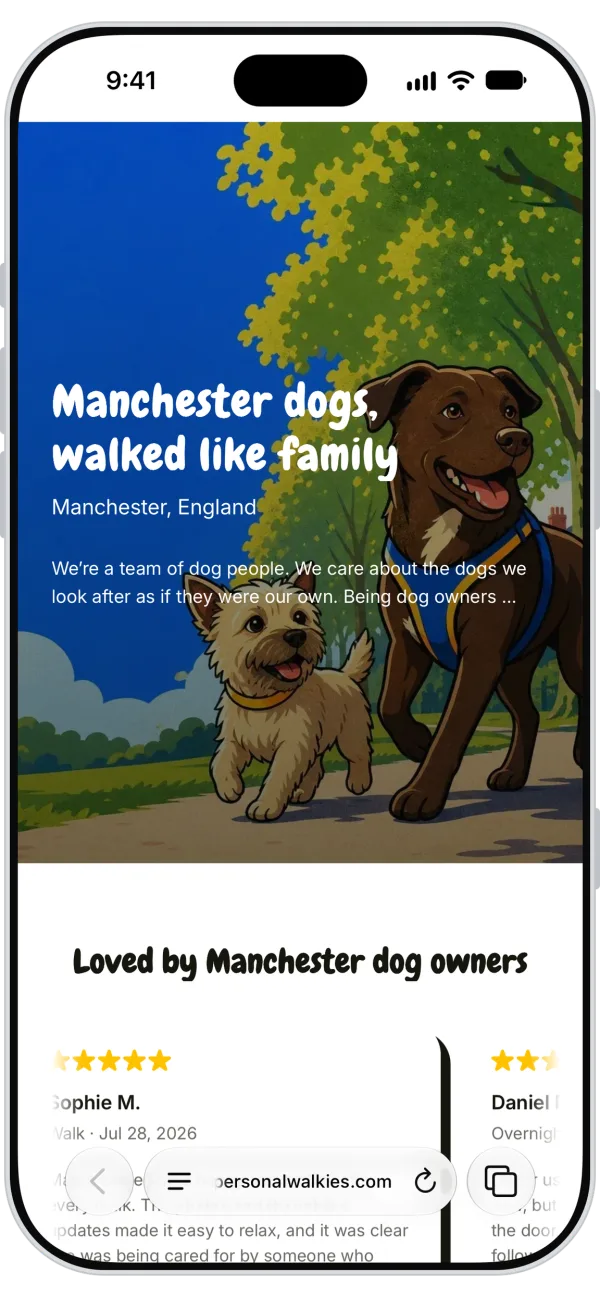
Every channel above needs a destination that isn’t your Rover profile. A simple site covers it: who you are, your services, the area you cover, starting prices, reviews from direct clients, and an enquiry form with that ‘How did you hear about me?’ question built in.
It doesn’t have to be a big project. With Walkies custom branding, you add your logo and brand colour and get an online profile that works as a small website in your brand, so a neighbour who picks up your flyer at the vet lands somewhere that looks like a real business.
Ask for referrals without crossing the line
Referrals from happy direct clients are often the warmest leads you’ll get. Ask at a natural moment, like right after a trip they were nervous about went smoothly: ‘If any friends ever need a sitter, I’d love an introduction. Here’s my booking link.’
With Rover clients, keep it on Rover. If one mentions a friend who needs help, point the friend to your Rover profile. Steering them to your website instead sits in a grey area, and one booking isn’t worth putting your account at risk.
What to say when a Rover client asks to go direct
Sooner or later a regular Rover client will offer to pay you directly to skip the fee. Rover’s help article tells sitters to decline and remind the client that paying through Rover keeps everyone’s information secure. If a client keeps insisting, Rover says you can alert its support team with the Report button in Rover Messages.
Keep your tone warm. The client usually means it as a compliment, and a kind, clear no protects the relationship as well as your account.
Run both lists without double-booking
Two sources of clients means two places a booking can land. Before you accept anything, check one master calendar that holds your Rover visits and your direct ones, with travel time blocked between them.
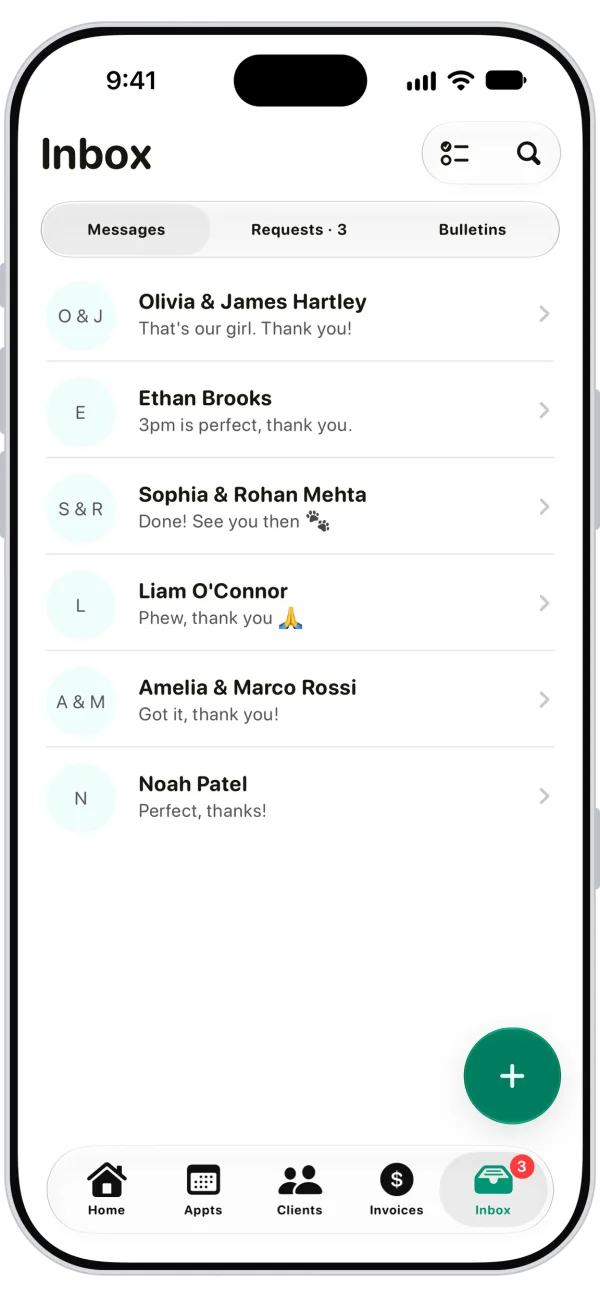
For direct clients, Walkies keeps the business side together: bookings, client and pet details, invoices, and card payments through Walkies Pay, powered by Stripe. Messaging and client updates put every direct conversation in one inbox, and clients follow their visits in the free Walkies Journal app. Rover bookings, messages and payments stay on Rover; just block that time on your own schedule so nothing overlaps.
Is the extra effort worth it? That depends on your rates and your Rover setup. Rover takes a commission on every booking, and its UK page says take-home rates vary by country and by when your profile was approved. Look up Rover’s UK fee page, then plug your rates into the Rover fees calculator.
Can I move a Rover client off the platform if they ask?
No. Rover’s help centre says a booking arranged on Rover must be completed and paid on Rover, and doing otherwise could cost you access to the platform, your reviews and Rover’s booking protection. Decline politely and keep that client on Rover.
Can I work with clients I found myself while I’m still on Rover?
We couldn’t find official Rover wording on clients you found entirely on your own. A Rover Community thread discusses it, but that’s user opinion, not policy. Keep a clear record of where each client came from, and ask Rover support if you’re unsure.
Can I put my website or phone number on my Rover profile?
We didn’t find Rover wording that settles this either way, so don’t assume. Read Rover’s current Terms of Service and ask Rover support before adding any outside contact details to your profile.
How much more do I keep with direct clients?
It depends on your country and when your Rover profile was approved, because Rover’s commission isn’t the same everywhere. Check Rover’s UK fee page and compare your rates with the Rover fees calculator.