
QuickBooks syncing for pet sitters and dog walkers
Walkies sends your clients, invoices, payments, refunds, credit notes and expenses to QuickBooks Online as you work, so your accounts stay up to date without typing anything twice. Included with Walkies Max.
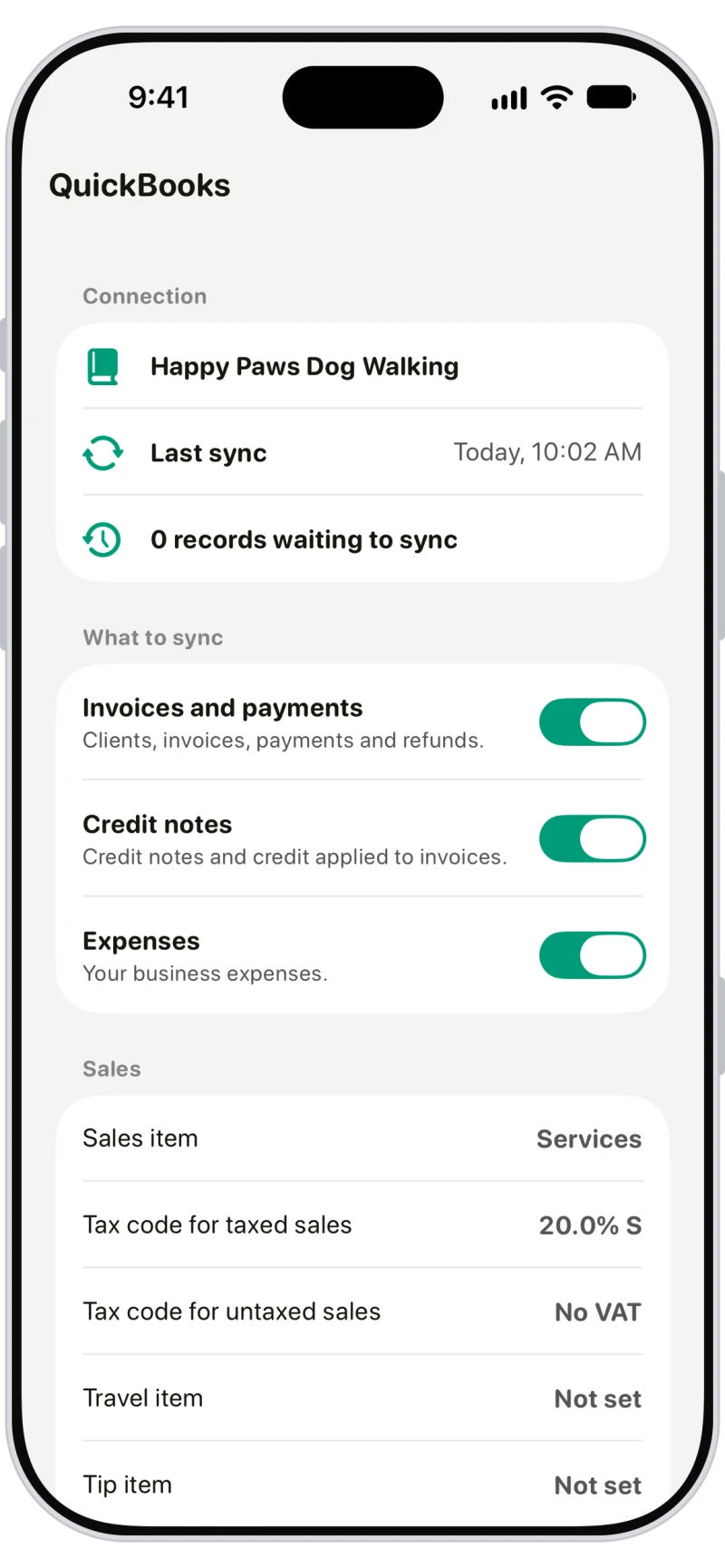
Choose what syncs to QuickBooks
Tap the menu button on Home, then QuickBooks under Company, and connect your QuickBooks Online company. Choose what to sync: invoices and payments, credit notes and expenses. Syncing is one way, so changes made in QuickBooks don't change Walkies.
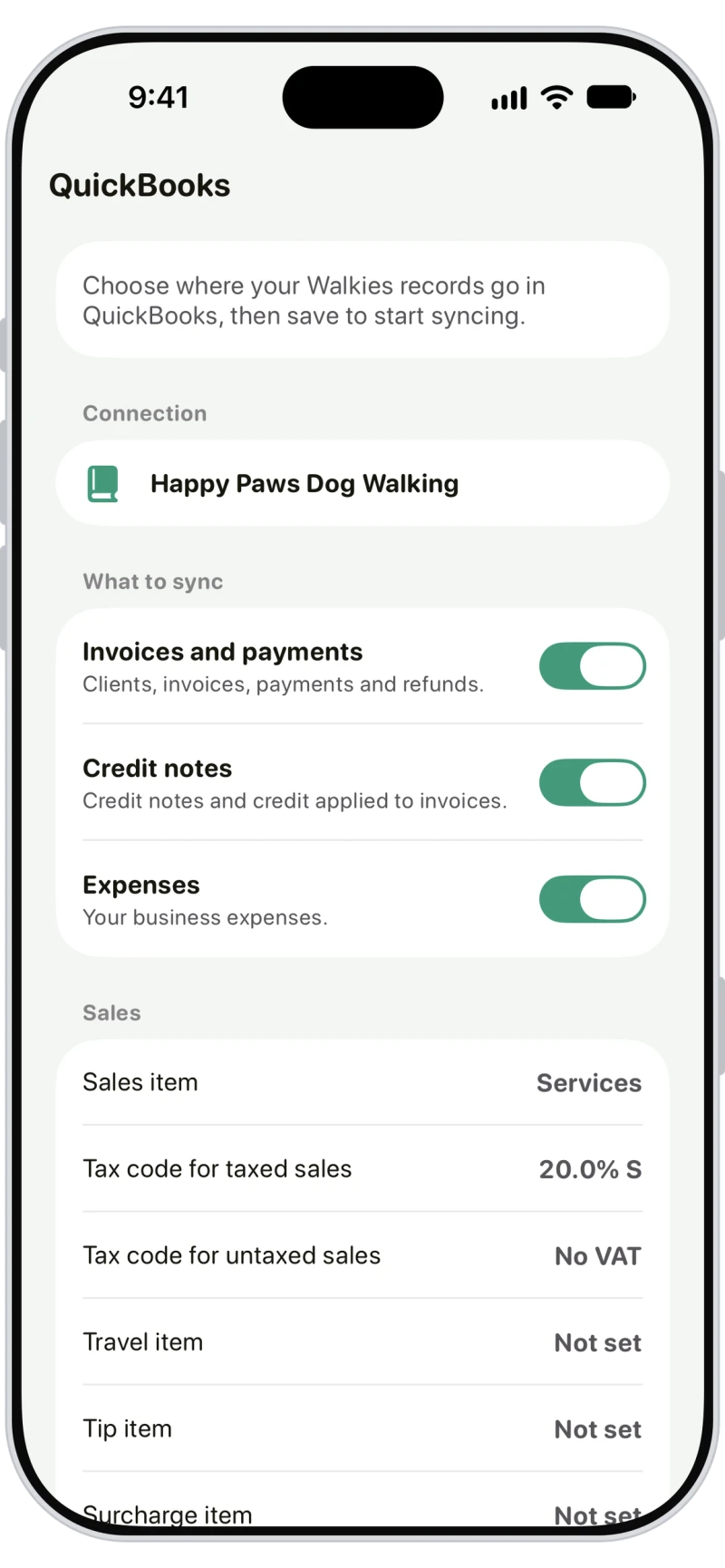
Match your items, accounts and tax codes
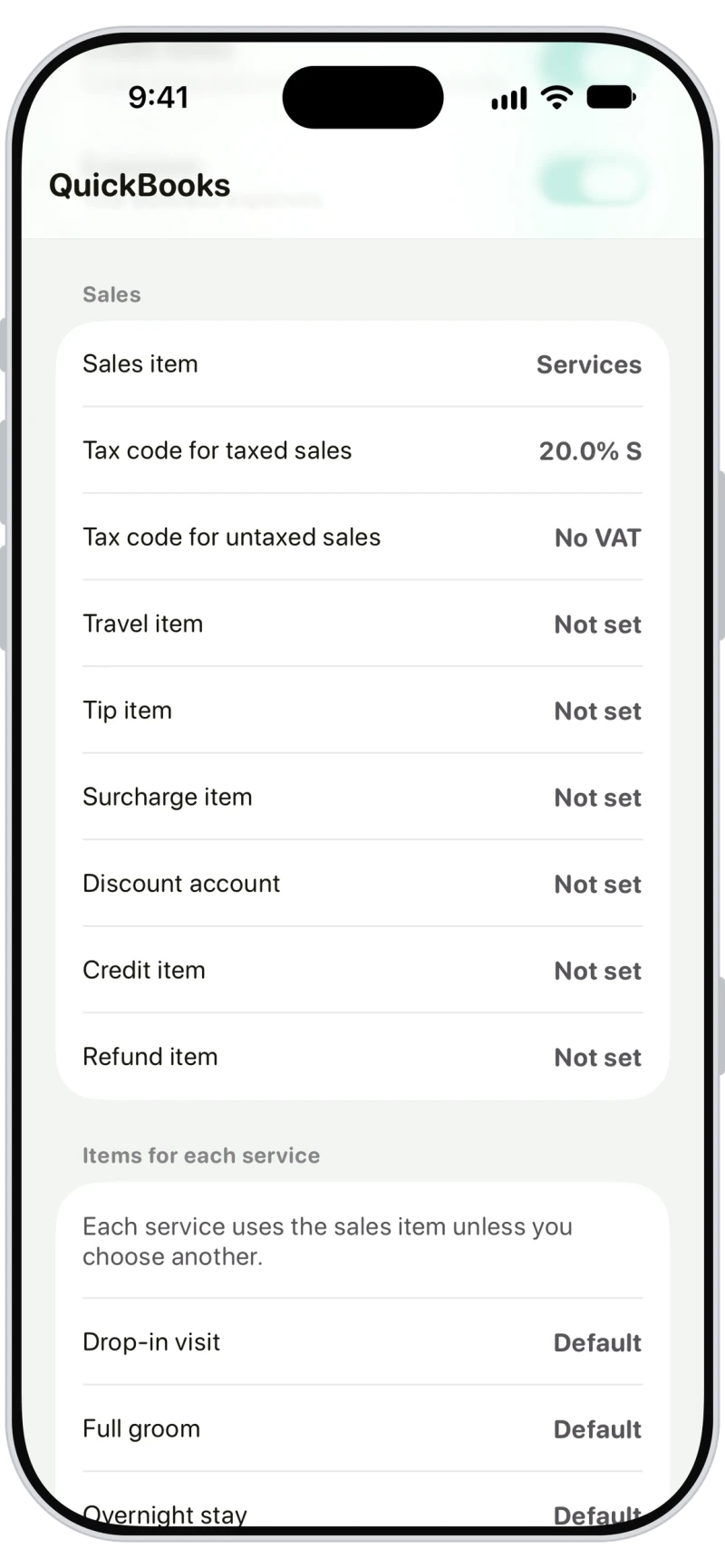
Pick the QuickBooks items, accounts, tax codes and payment methods your records go to, with a different item for each service if you like. Walkies suggests the obvious matches, and nothing syncs until you tap Save.

Frequently asked questions
Yes. On Walkies Max, Walkies syncs your clients, invoices, payments, refunds, credit notes and expenses to QuickBooks Online automatically once you connect your QuickBooks company.
No. It's one way: Walkies sends records to QuickBooks, and changes made in QuickBooks don't change Walkies. Walkies never deletes anything in QuickBooks.
No. Walkies works with QuickBooks Online only.
Your QuickBooks company's home currency, which needs to be the currency you use in Walkies. Records in another currency don't sync.
Records dated in a period you've closed in QuickBooks don't sync, so nothing changes in your closed books.
No, only records from when you connect. If you record a payment, refund or credit on an older invoice after connecting, that invoice syncs too.
The admin who owns the Walkies account, on Walkies Max. If your plan changes from Max, syncing pauses, and waiting records sync once you're back on Max.